

Disclosure: Gamingshopee is reader-supported. If you buy through links on this page, we may earn a commission at no extra cost to you.
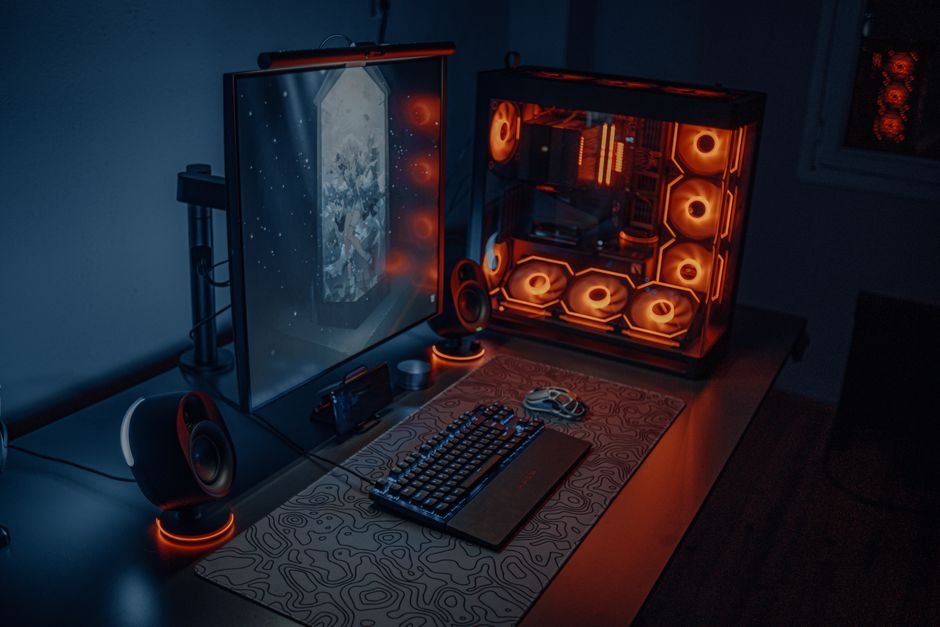
An esports setup isn’t about the flashiest gear. It’s about removing every excuse between you and your best performance.
Every piece here exists to solve a specific competitive problem, frame rate consistency, input latency, or network stability. Here’s what actually matters and why.
Esports Setup — Quick Comparison
| Component | Target Spec | Why It Matters |
|---|---|---|
| CPU | Ryzen 7 9800X3D or equivalent | Sustains 360Hz+ minimum frame rates |
| GPU | RTX 4070 Ti class or higher | Keeps 1% lows above 400 FPS in competitive titles |
| RAM | DDR5-6000 CL30, EXPO/XMP on | Feeds the CPU fast enough to avoid bottlenecks |
| Monitor | 240–360Hz | Reduces motion blur, matches high frame rates |
| Mouse | Sub-60g, 1000Hz polling | Faster flicks, less fatigue over long sessions |
| Keyboard | Mechanical or Hall effect with rapid trigger | Fast, consistent key resets |
CPU and GPU: Built for Frame Rate Consistency
Competitive esports titles are usually CPU-bound at high frame rates, which is why the CPU matters more here than in most gaming builds. The Ryzen 7 9800X3D is currently the standout choice, consistently delivering 360Hz-plus minimum frame rates in the titles that matter for competitive play.
Pair it with a GPU in the RTX 4070 Ti class or higher, and you’ll keep 1% low frame rates, the dips that actually hurt you in a firefight, comfortably above 400 FPS. That consistency matters more than peak average FPS numbers you’ll see in marketing.
RAM and Storage: Don’t Bottleneck the CPU
DDR5-6000 with CL30 timings hits the sweet spot for current-generation CPUs, and turning on EXPO or XMP in your BIOS is required to actually run at that rated speed rather than a slower default. Skipping this step leaves real performance on the table for free.
For storage, 2TB of Gen4 NVMe gives you room for 10 to 15 titles installed at once without constantly rotating games in and out, which matters if you’re practicing across multiple competitive titles.
Monitor: Refresh Rate Over Resolution
Competitive players consistently run 240 to 360Hz panels, usually at 1080p, prioritizing motion clarity and frame rate ceiling over resolution and visual fidelity. This is the one area where esports setups diverge sharply from general gaming advice, chasing the panel’s refresh ceiling matters more than pixel count.
If budget is a constraint, prioritize refresh rate first and resolution second. A 240Hz 1080p panel will serve competitive play better than a 144Hz 1440p one.
Mouse and Keyboard: Where Milliseconds Live
Most competitive players use mice in the 400 to 1600 DPI range, and the trend has moved firmly toward sub-60g ultralight designs, lighter mice mean faster flicks and less fatigue over long practice sessions. 1000Hz polling rate is the standard, higher polling rates exist but most players can’t reliably tell the difference above that threshold.
For keyboards, mechanical switches remain the standard for their durability and tactile feedback, and Hall effect keyboards with rapid trigger are increasingly common at the competitive level for their adjustable actuation and faster key resets. Either is a real upgrade over membrane for this use case.
Don’t Forget the Network
All the hardware above means little if your connection is inconsistent. A router with solid QoS features keeps your latency stable even when other devices on your network are active, which matters more for competitive consistency than almost any single peripheral upgrade.
Building This Setup on a Budget
You don’t need every component at the top spec to see real competitive benefit. Prioritize in this order: CPU and GPU for frame rate consistency first, then the monitor’s refresh rate, then peripherals. RAM speed and a gaming router are the cheapest upgrades on this list relative to their impact, and worth doing early regardless of your overall budget.
Specs correct as of July 2026.
Frequently Asked Questions
Is 1080p still the right resolution for competitive esports?
Yes, generally. It lets weaker hardware sustain higher frame rates, and most competitive players prioritize refresh rate and frame rate ceiling over the sharper image resolution provides.
Do I need a 9800X3D specifically, or will another CPU work?
It’s currently the top pick for sustaining very high frame rate minimums, but any recent high-core-speed CPU will still deliver a strong competitive experience. It’s the ceiling, not a strict requirement.
Are ultralight mice actually better for competitive play?
Many pros prefer them for faster flicks and reduced fatigue during long sessions, but it’s ultimately a personal preference. Some competitive players still perform well with heavier mice.
Is a gaming router really necessary for esports?
If you play ranked or competitive matches regularly, yes, QoS features keep your connection stable under load, which directly affects match consistency. See our full breakdown on whether gaming routers are worth it for more detail.
Should I prioritize the monitor or the GPU first?
The GPU, generally, since it determines whether you can actually hit the frame rates your monitor supports. A high-refresh monitor paired with a weak GPU won’t deliver the benefit you’re paying for.
Deciding on individual pieces of this setup? See our mechanical keyboard worth-it guide, or check whether a gaming router is worth it.
This pairs well with our guide, 1080p vs 1440p vs 4K Gaming.
For a closely related buying question, see What Is a Good Refresh Rate for Gaming?.
Related Guides
- Best Streaming + Gaming Setup (2026)
- How to Build a Gaming Setup on a $500 Budget
- 8 Best Gaming Keyboards in 2026: Top Picks for Every Type of Gamer




1 thought on “Best Esports Gaming Setup”