

Disclosure: Gamingshopee is reader-supported. If you buy through links on this page, we may earn a commission at no extra cost to you.
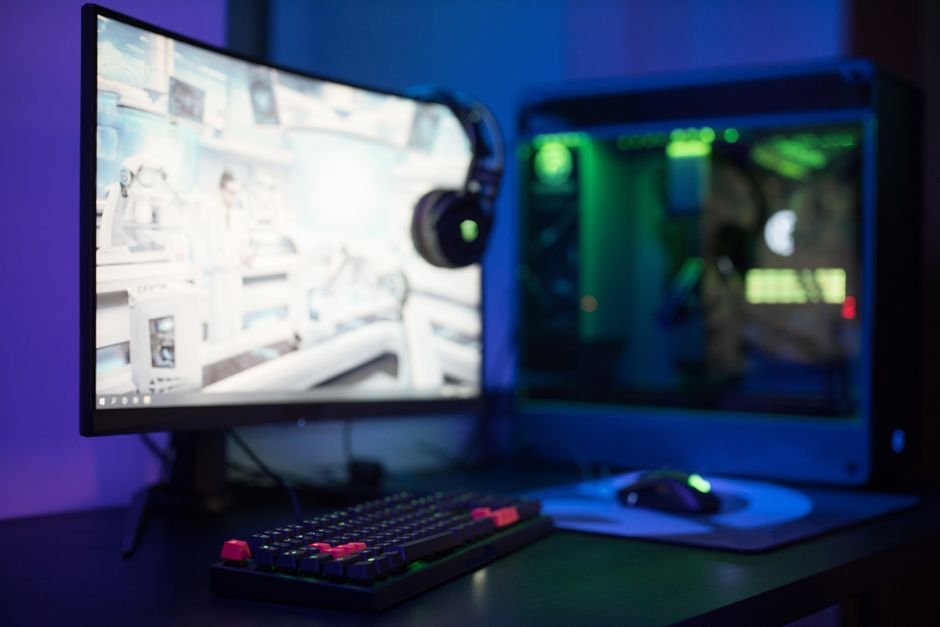
144Hz remains the benchmark refresh rate for gaming in 2026, it’s the point where motion clarity and responsiveness improve dramatically over 60Hz, while the frame rate demands stay achievable for a mid-range GPU. What’s changed is how much you get at that refresh rate, 144Hz is no longer a ceiling, it’s a baseline that now shows up on everything from $85 budget panels to $1,200 Mini-LED 4K displays.
Because 144Hz now spans such a wide price and feature range, the right pick depends heavily on what else you’re prioritizing: resolution, picture quality, screen size, or just the lowest price that still delivers a genuinely smooth 144Hz experience. We picked five monitors that each win clearly in one of those categories.
Best 144Hz Gaming Monitor — Quick Comparison
| Monitor | Panel / Resolution | Refresh Rate | Price | Best For |
|---|---|---|---|---|
| Dell S2721DGF | 27″ Nano IPS, 1440p | 165Hz | $330-450 | Best overall |
| ViewSonic VA27G11-2 | 27″ IPS, 1080p | 144Hz (OC 175Hz) | $84-100 | Best budget pick |
| ASUS TUF VG34VQL1B | 34″ VA curved, 1440p | 165Hz | $300-315 | Best ultrawide |
| AOC Q27G4ZD | 27″ OLED, 1440p | 240Hz | $449 | Best picture quality |
| BenQ MOBIUZ EX321UX | 32″ IPS, 4K, Mini-LED | 144Hz | $1,050-1,200 | Best 4K |
How We Picked These
- We required a genuine 144Hz or higher, not marketing rounding: every monitor here hits at least 144Hz natively, several go well beyond it.
- We spread picks across the full price range 144Hz now covers: from under $100 to over $1,000, since “best 144Hz monitor” means something very different depending on your budget.
- We leaned on independent lab data for response time and input lag: rather than trusting manufacturer-listed specs at face value.
- We picked one clear winner per priority: instead of five similar all-rounders, each pick here is the strongest option for a specific kind of buyer.
Best Overall: Dell S2721DGF
The Dell S2721DGF earns the best overall spot by being the most balanced monitor on this list rather than the flashiest. It’s a 27-inch 1440p Nano IPS panel running natively at 165Hz, well past the 144Hz floor, with a genuine 1ms response time, wide color gamut, and dual Adaptive-Sync support covering both FreeSync Premium Pro and G-Sync compatibility. DisplayHDR 400 certification and 400 nits of peak brightness make it a capable, if not class-leading, HDR performer too.
List pricing sits in the $450-550 range, but it regularly sells closer to $330, and at that sale price it’s one of the strongest all-around values in the 1440p 144Hz-plus category. SDR contrast is its one real weak point, static contrast tops out around 1,000:1, noticeably behind VA alternatives, but for buyers who want a well-rounded 1440p monitor without picking a single specialized strength, this is the safest recommendation on the list.
Best Budget Pick: ViewSonic VA27G11-2
144Hz used to be a mid-range feature, and the ViewSonic VA27G11-2 is proof of how far that’s shifted. It’s a 27-inch 1080p IPS panel with a native 144Hz refresh rate that overclocks to 175Hz, a 1ms MPRT response time, 350 nits of brightness, and a 1500:1 contrast ratio, all for around $84-100. That’s a genuinely smooth, IPS-quality 144Hz experience for less than a third of what most monitors on this list cost.
The obvious tradeoffs are resolution and feature set, 1080p won’t deliver the sharpness of the 1440p and 4K picks here, and you shouldn’t expect HDR performance, extensive port selection, or premium build materials at this price. But as a way to get a legitimately responsive 144Hz gaming experience on a tight budget, or as a second monitor, this is difficult to beat.
Best Ultrawide: ASUS TUF VG34VQL1B
For buyers who want the immersive, wraparound field of view of an ultrawide without stepping too far past $300, the ASUS TUF VG34VQL1B is the strongest option currently available. It’s a 34-inch, 3440×1440 curved VA panel on a 1500R curve, running at 165Hz with a 1ms MPRT response time and FreeSync Premium support, and it typically sells for around $300-315.
As a VA panel, it delivers stronger native contrast than the IPS options on this list, which suits the cinematic, immersive use cases ultrawide monitors are typically bought for, racing sims, flight sims, and open-world RPGs in particular. DisplayHDR 400 certification is present but modest, so don’t expect HDR performance on par with the AOC or BenQ picks. For the specific combination of screen real estate, curve, and 165Hz smoothness at this price, though, it’s the clear ultrawide recommendation.
Best Picture Quality: AOC Q27G4ZD (OLED)
If picture quality is the priority above all else, OLED is where the real jump happens, and the AOC Q27G4ZD makes that technology accessible at a price that would have been unthinkable a couple of years ago. It’s a 27-inch 1440p OLED panel that runs at 240Hz, well beyond the 144Hz baseline, with per-pixel lighting that delivers true blacks and contrast no LED-backlit panel on this list can match, at a street price of $449.
OLED does come with tradeoffs worth understanding before buying: potential long-term burn-in risk with static on-screen elements, generally lower peak brightness than Mini-LED alternatives in bright rooms, and typically a shorter panel lifespan than traditional LCD technology. For gamers who prioritize color accuracy, true blacks, and motion clarity over raw brightness or long-term durability guarantees, this is the most dramatic upgrade on the list relative to its price.
Best 4K: BenQ MOBIUZ EX321UX
Running native 4K at a genuine 144Hz is still a demanding combination, both for the monitor and for the GPU driving it, and the BenQ MOBIUZ EX321UX is one of the strongest options currently available for it. It’s a 32-inch 4K IPS panel with a 1,152-zone Mini-LED backlight, DisplayHDR 1000 certification, and 1,000 nits of peak brightness, delivering HDR performance that genuinely competes with dedicated HDR displays outside the gaming monitor category entirely.
At roughly $1,050-1,200, it’s by far the most expensive monitor on this list, and it only makes sense paired with a GPU capable of consistently pushing 4K at 144Hz in the games you actually play, without that GPU, you’re paying a significant premium for a refresh rate you can’t fully use. For buyers with the graphics horsepower to back it up, though, this is as close to a no-compromise 144Hz monitor as currently exists.
How Much GPU Do You Need to Actually Hit 144Hz?
A 144Hz monitor only delivers its full benefit if your GPU can consistently produce 144 frames per second in the games you play, and that requirement changes dramatically with resolution. At 1080p, a mid-range GPU can sustain 144fps in most modern titles at high settings, making the ViewSonic pick realistic for a broad range of hardware. At 1440p, you’re generally looking at a upper-mid-range GPU to hold 144fps consistently in demanding titles, which is worth checking against your current graphics card before committing to the Dell or ASUS picks.
At native 4K, sustaining 144fps in graphically demanding games requires genuinely high-end hardware, and even then, many recent AAA titles will need upscaling technology like DLSS or FSR to hit that frame rate consistently at max settings. This isn’t a reason to avoid the BenQ pick if 4K image quality matters more to you than hitting 144fps in every title, competitive esports games run at far lower resource cost and will hit 144Hz easily even at 4K, but it’s worth being realistic about which games will and won’t sustain the full refresh rate on your specific hardware.
Is It Worth Going Beyond 144Hz?
Two of the picks here, the AOC OLED at 240Hz and, more modestly, the Dell and ASUS at 165Hz, exceed the 144Hz baseline, and it’s worth understanding what that extra headroom actually buys you. The jump from 60Hz to 144Hz is dramatic and nearly universally noticeable. The jump from 144Hz to 240Hz is real but far smaller in practice, most players, outside of dedicated competitive esports athletes, struggle to reliably distinguish 144Hz from 240Hz in blind testing.
That doesn’t make the higher-refresh picks on this list a bad choice, the AOC’s 240Hz ceiling comes bundled with OLED picture quality that’s valuable independent of the refresh rate, and the Dell and ASUS’s 165Hz is close enough to 144Hz that it’s essentially a small bonus rather than the main selling point. The practical takeaway is that if a monitor’s price is being driven primarily by a refresh rate well above 144Hz, make sure that’s a feature you’ll actually notice given your typical games and GPU headroom, rather than paying for a number that outpaces what you can perceive or sustain.
IPS, VA, and OLED at 144Hz: Which Panel Type to Choose
All three panel technologies on this list can comfortably sustain 144Hz today, so the choice between them comes down to what you’re willing to trade for what. IPS panels, used in the Dell, ViewSonic, and BenQ picks, offer the most consistent color accuracy across viewing angles and generally the fastest, most predictable response times among traditional LCD technology, which is why they dominate the mid-range and premium picks on this list. The tradeoff is contrast, IPS blacks look closer to dark gray than true black next to VA or OLED.
VA, used in the ASUS ultrawide, flips that tradeoff, deeper native contrast and richer blacks, at the cost of a slightly slower pixel response that can show faint trailing in the most demanding competitive scenarios. For the immersive, cinematic use case an ultrawide is typically bought for, that tradeoff usually favors VA, contrast matters more to the visual experience than the last fraction of a millisecond of response time. OLED, in the AOC pick, is the outlier that doesn’t really trade anything for its contrast advantage, per-pixel lighting means it can produce true blacks and extremely fast response times simultaneously, which is exactly why it commands a price premium despite otherwise similar specs to its LCD competition.
None of these three technologies is a wrong choice at 144Hz in 2026, the differences are smaller in day-to-day use than spec sheets make them sound, and all five monitors on this list will feel meaningfully smoother than a 60Hz display regardless of panel type. The decision is really about which secondary tradeoff, contrast, color consistency, or price, matters most for how and where you’ll actually use the monitor.
Common Mistakes When Buying a 144Hz Monitor
- Buying a 4K 144Hz monitor without checking your GPU can sustain it: the panel is only half the equation, without matching graphics horsepower you won’t see the frame rate you paid for.
- Assuming higher refresh rate always beats resolution: for most non-competitive gamers, going from 1080p to 1440p is more noticeable day-to-day than going from 144Hz to 240Hz.
- Overlooking OLED burn-in risk for heavy productivity or streaming use: static UI elements displayed for long periods are the main risk factor, worth considering if the monitor won’t be used purely for gaming.
- Ignoring HDR certification tiers: DisplayHDR 400 and DisplayHDR 1000 represent very different real-world HDR performance despite both carrying the “HDR” label.
- Skipping cable and port checks on ultrawide monitors: confirm your GPU’s outputs support the monitor’s full resolution and refresh rate combination before buying.
Prices and specs correct as of August 2026.
Frequently Asked Questions
What’s the best overall 144Hz gaming monitor?
The Dell S2721DGF, thanks to its balanced 1440p Nano IPS panel, 165Hz refresh rate, and strong value when found on sale around $330.
What’s the cheapest way to get a real 144Hz gaming monitor?
The ViewSonic VA27G11-2 at around $84-100 delivers a genuine 144Hz IPS experience at 1080p, one of the lowest prices currently available for true 144Hz gaming.
Do I need a powerful GPU for a 144Hz monitor?
It depends on resolution. 1080p 144Hz is achievable with a mid-range GPU, 1440p 144Hz needs upper-mid-range hardware, and native 4K at 144Hz requires high-end GPUs, especially in demanding titles.
Is OLED worth it for a 144Hz monitor?
If picture quality and true blacks matter most to you, yes, the AOC Q27G4ZD delivers OLED contrast at $449. Just weigh the burn-in risk and lower peak brightness against the image quality gain.
Should I get an ultrawide 144Hz monitor?
Only if the games you play most, racing, flight sims, or open-world titles, actually benefit from the wider field of view. It’s an immersion choice more than a competitive one.
Is 144Hz still good enough in 2026, or should I go higher?
144Hz remains a strong, well-supported baseline. Going higher is worth it mainly for competitive esports players or if it comes bundled with another upgrade you want, like OLED picture quality.
Is 4K 144Hz worth the price premium?
Only if you have the GPU to sustain it in the games you actually play. Without that hardware, you’re paying for a refresh rate ceiling you won’t consistently reach.
Rounding out your setup? Check our before you buy a gaming monitor checklist for the full buying breakdown, or see best gaming monitor under $300 for more budget-focused picks.




1 thought on “Best 144Hz Gaming Monitor (2026)”