

Part of our complete guide: Best Gaming Desk (2027)
The problem with most gaming desks under $200 is that they spend the budget on looks — carbon fiber wrapping, RGB strips, aggressive cutouts — and skimp on what actually matters: surface stability, weight capacity, and enough desk width to actually fit your setup. This guide cuts through the marketing and focuses on the desks that perform.
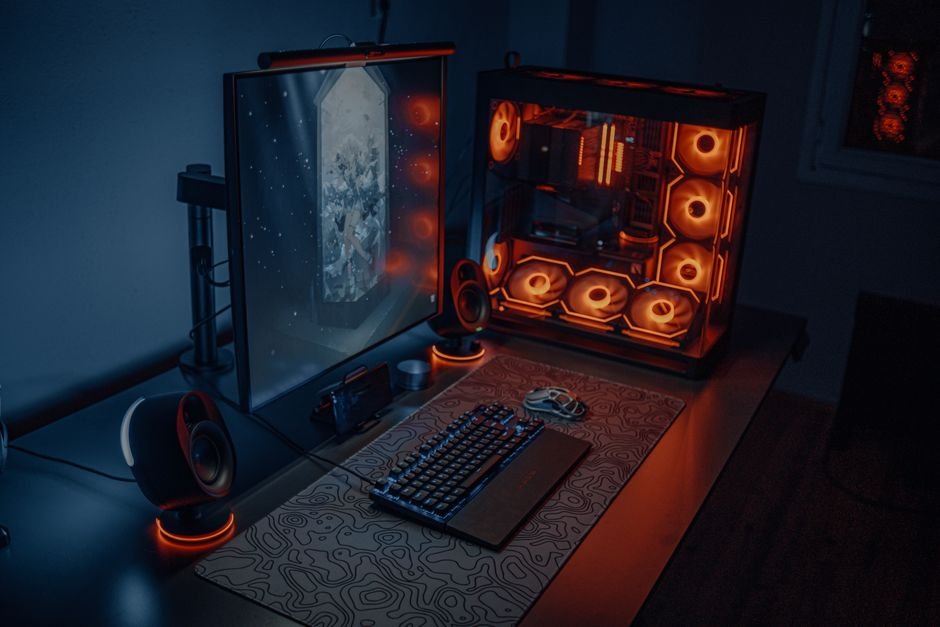
I tested each desk with a full gaming setup — dual 27″ monitors, desktop tower, keyboard, mouse, and peripherals — and evaluated stability, surface quality, cable management, and assembly. Here are the five best gaming desks under $200 in 2026.
Best Gaming Desks Under $200 — Quick Comparison
| Desk | Price | Size | Best For | Rating |
|---|---|---|---|---|
| Flexispot E7 Lite | ~$199 | 55″×28″ | Best sit-stand under $200 | 9/10 |
| IKEA ALEX | ~$149 | 59″×24″ | Best storage + stability | 8.5/10 |
| Eureka GTG-I43 | $179 | 43″×23″ | Best gaming aesthetic | 8/10 |
| Amazon Basics Gaming Desk | $119 | 60″×24″ | Best budget large desk | 7.5/10 |
| RESPAWN 3000 | $189 | 60″×26″ | Best with monitor mount | 8/10 |
How We Picked
Gaming desks is a category where marketing does a lot of heavy lifting. Carbon fiber textures, RGB underglow, and aggressive cutout designs photograph well — but they tell you nothing about how a desk actually holds up with 40 pounds of monitors and a tower sitting on it for three years straight.
We evaluated each desk with a full real-world gaming setup: dual 27″ monitors (around 20kg total), a desktop PC tower, keyboard, mouse, and a full suite of peripherals. We pushed on the corners to test wobble, checked surface quality under daily mouse use, tested cable management practicality, and assembled every desk solo to understand what a single buyer actually faces out of the box.
The criteria that mattered most: surface width (47″ minimum for a single-monitor setup, 55″+ for dual), weight capacity above 100 lbs, surface material that does not scratch easily, and some form of cable management — either built-in or easy to add. Everything else was secondary.
1. Flexispot E7 Lite — Best Sit-Stand Gaming Desk Under $200
Three years ago, an electric height-adjustable desk under $200 did not exist in any form worth recommending. The Flexispot E7 Lite changed that. At ~$199, you get a genuine dual-motor electric sit-stand desk with 154 lbs of load capacity — enough to handle the heaviest gaming setups without frame flex or stability compromise. Alternating between sitting and standing during long sessions reduces lower back strain and fatigue in a way that a new chair or monitor arm cannot replicate.
| Spec | Details |
|---|---|
| Price | ~$199 (frame only; bundled versions available with desktop) |
| Height Range | 24″ – 50″ (electric, dual-motor) |
| Weight Capacity | 154 lbs |
| Desktop Size | 55″×28″ (standard bundle) |
| Frame | Steel, dual-motor (slower than E7 Pro but functional) |
| Surface Material | MDF laminate |
The 154-pound weight capacity is what makes this a legitimate gaming desk rather than a standing desk marketed at gamers. Dual 27″ monitors, a full tower, keyboard, and peripherals comfortably sit under that limit with headroom to spare. The frame is steel construction with adjustable feet for uneven floors — no wobble at sitting height, minimal at standing height which is normal for electric frames at this price point.
The trade-off: the motor is slower than Flexispot’s premium E7 model, and the MDF desktop surface is standard rather than bamboo or premium laminate. Both are acceptable at $199 — you are paying for the electric mechanism and the load capacity, and the E7 Lite delivers both without compromise. That is where the Flexispot E7 Lite feels different from cheaper standing desks — the load capacity is not a marketing figure, it is a real limit that holds up with daily heavy use.
Best for: Gamers who play 3+ hour daily sessions and experience lower back fatigue. Non-negotiable if ergonomics matter to you and budget allows it.
2. IKEA ALEX — Best Gaming Desk for Storage and Durability
The IKEA ALEX is not sold as a gaming desk. That is exactly why it belongs on this list. The 59″ wide surface fits dual monitors comfortably, the five-drawer right pedestal keeps controllers, cables, headsets, and accessories organized and out of sight, and IKEA furniture construction means this desk will outlast most purpose-built gaming desks sold at twice the price. The melamine laminate surface is scratch-resistant, easy to clean, and smooth enough for mouse use without a pad.
| Spec | Details |
|---|---|
| Price | ~$149–$199 depending on size and color |
| Dimensions | 59″×24″ (standard) or 47″×24″ (smaller option) |
| Storage | 5 drawers (right pedestal included) |
| Surface | Melamine laminate — scratch-resistant |
| Load Capacity | 100+ lbs (extremely solid construction) |
| Cable Management | Not built-in — add a $12 under-desk cable tray |
The storage is the genuine differentiator here. Every other desk on this list gives you a flat surface and maybe a grommet hole. The ALEX gives you five drawers of actual organized storage at desk level — controllers go in drawer one, cables in drawer two, the stuff that normally lives in a pile at the corner of your desk gets a home. It sounds simple, but it changes how the setup functions every single day.
Cable management is not built in — you will need a $12 under-desk cable tray from Amazon and about 20 minutes. That is the only real gap. The clean, minimalist aesthetic works in any room and does not broadcast “gaming setup” if that matters to you. That is where the IKEA ALEX feels different — it is the most practically functional desk on this list, and the durability means you buy it once and never think about it again.
Best for: Gamers who want maximum storage, a wide surface, and long-term durability over gaming-specific aesthetics. Also the best pick if the desk needs to double as a work desk.
3. Eureka GTG-I43 — Best Purpose-Built Gaming Desk Under $200
If you want a desk that looks like a gaming desk — carbon fiber surface, built-in cable management, a monitor riser that gets your screen to eye level, aggressive styling — the Eureka GTG-I43 at $179 is where the budget gaming desk category actually delivers. Everything a gaming-specific desk should have is here: a rear cable tray that routes all your cables out of sight, grommet holes to feed cables through the surface cleanly, and a central monitor riser that raises your screens to ergonomic height without a separate arm or riser purchase.
| Spec | Details |
|---|---|
| Price | $179 |
| Dimensions | 43″×23″ |
| Surface | Carbon fiber texture — scratch-resistant, smooth mouse glide |
| Cable Management | Built-in rear tray + grommet holes + optional under-desk hooks |
| Monitor Riser | Built-in central riser (raises monitors to ergonomic eye level) |
| Assembly Time | ~30 min solo |
The surface quality is genuinely good for this price. Mouse glide is consistent across the carbon fiber texture, and the scratch resistance holds up to daily keyboard and peripheral movement without scuffing. The 43″ width is the one limitation — it fits a 27″ + 24″ dual-monitor setup comfortably, but dual 27″ monitors feel slightly tight. If your monitors are large, measure the combined width before buying.
That is where the Eureka GTG-I43 feels different from the IKEA ALEX or the Amazon Basics desk — the gaming-specific features are actually thought through. The built-in cable tray is genuinely useful, the monitor riser saves you a separate $30 purchase, and the carbon fiber surface performs well rather than just looking the part. At $179 this is the best purpose-built gaming desk in the budget category.
Best for: Gamers who want the full gaming desk aesthetic with practical cable management built in, and who have one large monitor or a standard dual-monitor setup with monitors under 27″.
4. Amazon Basics Gaming Desk — Best Budget Option for Surface Area
The Amazon Basics Gaming Desk does one thing better than any other desk on this list: it gives you 60 inches of desktop surface for $119. That is more surface area than the IKEA ALEX, more than the Eureka GTG-I43, more than the Flexispot E7 Lite bundle — for $80 less than the next cheapest option. If your priority is fitting a wide dual-monitor setup, a tower, and all your peripherals without sacrificing desk space, and you do not need storage or premium features, the math is hard to argue with.
| Spec | Details |
|---|---|
| Price | $119 |
| Dimensions | 60″×24″ |
| Surface | Carbon fiber texture print on MDF |
| Cable Management | Basic grommet holes (no cable tray) |
| Frame | Steel legs, adjustable feet |
| Assembly Time | ~30 min solo |
The carbon fiber surface looks decent and handles daily mouse use without issue. Assembly is straightforward — legs attach to the surface with four bolts, adjustable feet level it on uneven floors. There is no cable tray, but a $12 under-desk cable tray from Amazon clips on easily. The steel frame is stable at sitting height with no corner wobble under a full dual-monitor load.
That is where the Amazon Basics Gaming Desk feels different — it removes every premium feature and puts the entire budget into surface area. No storage, no built-in cable management, no monitor riser. Just 60 solid inches of gaming desk for $119. If that is the trade you want to make, it delivers exactly that.
Best for: Budget buyers who need maximum desktop width and do not need storage, cable management, or a sit-stand mechanism.
5. RESPAWN 3000 — Best Gaming Desk with Monitor Mount Included
The RESPAWN 3000 is the only desk on this list that comes with a monitor mount in the box. At $189 for a 60″×26″ carbon fiber surface desk plus a dual-monitor mount, the value proposition is real — a comparable standalone dual-monitor arm costs $40–$80 on its own. If you are building your setup from scratch and do not already have a monitor arm, the RESPAWN 3000 effectively bundles both into the budget and gives you the desk ergonomics sorted from day one.
| Spec | Details |
|---|---|
| Price | $189 |
| Dimensions | 60″×26″ |
| Surface | Carbon fiber texture |
| Cable Management | Built-in grommet holes + cable management clips |
| Monitor Mount | Included — dual-monitor capable |
| Assembly Time | ~45 min solo |
The 60″×26″ surface is the widest and deepest in this guide — the extra 2 inches of depth compared to 24″ desks matters when you are fitting a keyboard, mouse mat, and monitor arm base on the same surface. Cable management clips keep peripheral cables tidy along the desk edges. The carbon fiber surface performs consistently for gaming mouse use.
That is where the RESPAWN 3000 feels different — the included monitor mount is not an afterthought. It is a genuine dual-monitor arm that gets your screens off the desk surface, frees the desk footprint, and sorts the ergonomic height issue without a separate purchase. If you are starting from scratch, that bundled value is hard to beat at $189.
Best for: New setup builders who want a wide desk and a monitor arm in one purchase without managing two separate products.
What to Look For in a Gaming Desk Under $200
Surface width: 47″ minimum for a single-monitor setup, 55″+ for dual monitors. Anything under 47″ will feel cramped with a full keyboard and mouse setup. Measure your monitors and planned layout before committing to a size.
Stability: Steel frame legs with adjustable feet are essential. Desks that rely only on cross-bar bracing without solid leg construction flex under load. Push on the far corners of any desk you are considering — wobble at sitting height is a deal-breaker.
Surface quality: Melamine laminate (IKEA) and carbon fiber texture prints (Eureka, Amazon Basics, RESPAWN) are both scratch-resistant and work well under gaming mice. Avoid bare MDF with no surface treatment — it scratches easily and looks worn within months.
Cable management: Built-in grommets and cable trays make a real difference to how the setup looks and how easy it is to reorganize. If the desk does not have them, a $12 under-desk cable tray from Amazon is an easy aftermarket fix.
Height: Standard desk height is 28″–30″. If you are under 5’6″ or over 6’2″, verify the fixed height works for your seated posture. A sit-stand desk like the Flexispot E7 Lite solves this entirely since it adjusts from 24″ to 50″.
Frequently Asked Questions
If you’re weighing this decision, it’s also worth reading Best L-Shaped Gaming Desk (2027).
Related Guides
- Best Gaming Desk (2027)
- Best Gaming Desk Accessories in 2026 (Tested & Ranked)
- Best Gaming Desk Under $300 (2026)