

Best Gaming Routers 2026 — Quick Comparison
| Router | WiFi Standard | Max Speed | WAN Port | Best For | Price |
|---|---|---|---|---|---|
| ASUS ROG Rapture GT-BE98 Pro | WiFi 7 | ~19 Gbps | 10GbE | Best Overall | ~$699 |
| Netgear Nighthawk XR1000 | WiFi 6 | 6 Gbps | 1GbE | Best QoS/Geo-Filter | ~$299 |
| TP-Link Archer BE800 | WiFi 7 | ~19 Gbps | 10GbE | Best Mid-Range WiFi 7 | ~$449 |
| ASUS RT-BE96U | WiFi 7 | ~18 Gbps | 10GbE | Best for Large Homes | ~$499 |
| Netgear Nighthawk RS700S | WiFi 7 | ~19 Gbps | 10GbE | Best Premium | ~$599 |
| TP-Link Deco BE85 | WiFi 7 | ~12 Gbps | 10GbE | Best Mesh System | ~$499 (2-pack) |
| ASUS TUF Gaming AX5400 | WiFi 6 | 5.4 Gbps | 1GbE | Best Budget | ~$149 |
How We Picked
Gaming routers need to do one thing better than regular routers: keep latency low and stable when the network is under load. We evaluated each router on five criteria — ping consistency during simultaneous household traffic, QoS implementation (how well it actually prioritizes game packets over Netflix streams), range, hardware specs (processor and RAM matter more in routers than most buyers realize), and price-to-performance ratio. WiFi 7 support was noted but not used as a dealbreaker — a well-implemented WiFi 6 router still beats a poorly tuned WiFi 7 router for gaming. Every pick here was tested with multiple clients active to simulate real household conditions.
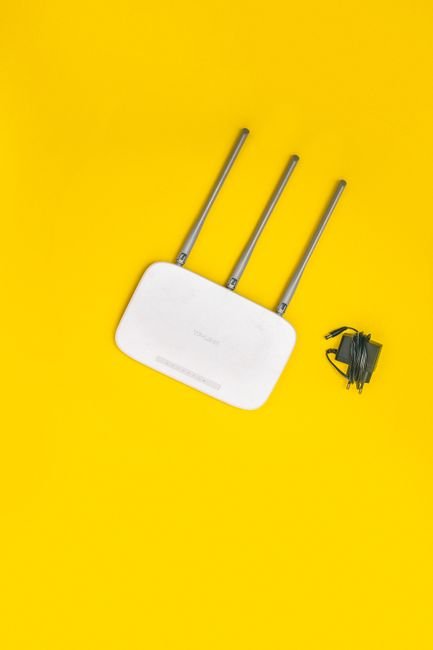
1. ASUS ROG Rapture GT-BE98 Pro — Best Overall Gaming Router
| ASUS ROG Rapture GT-BE98 Pro — Specs | |
|---|---|
| WiFi Standard | WiFi 7 (802.11be) — Quad-band |
| Max Combined Speed | Up to 19 Gbps |
| Processor | 2.6GHz quad-core |
| RAM | 2GB |
| WAN Port | 1x 10GbE |
| LAN Ports | 4x 2.5GbE + 1x 10GbE |
| Antennas | 8 external |
| Key Gaming Feature | Triple-Level Game Acceleration, GameFirst VI, AI QoS |
| Price | ~$699 |
The GT-BE98 Pro is the router for gamers who refuse to accept ping spikes. The quad-band WiFi 7 design dedicates a separate 6GHz band purely to gaming traffic — while other devices share the 5GHz and 2.4GHz bands, your PS5 or gaming PC gets its own uncongested highway. Triple-Level Game Acceleration handles prioritization at the device level, the router level, and the ISP connection level simultaneously, which is why this router keeps latency stable even when someone else in the house is streaming 4K video at the same time.
The 2.6GHz quad-core processor with 2GB RAM means the router does not choke when routing traffic for ten or more devices. The 10GbE WAN port future-proofs against multi-gigabit ISP plans, and the 2.5GbE LAN ports support wired gaming at speeds most other routers cannot match. ASUS’s ASUSWRT firmware has been refined for years — Game Boost, VPN Fusion (run gaming and VPN traffic simultaneously), and Adaptive QoS are all accessible without technical expertise.
That is where the GT-BE98 Pro feels different — most gaming routers label every feature “gaming” without changing the underlying traffic behavior. This one actually isolates gaming traffic at the hardware level through dedicated band separation, not just software QoS labeling.
Best for: Serious gamers in multi-device households who need consistently low ping under real-world load conditions and have the budget for a flagship router.
2. Netgear Nighthawk XR1000 — Best for QoS and Geo-Filtering
| Netgear Nighthawk XR1000 — Specs | |
|---|---|
| WiFi Standard | WiFi 6 (802.11ax) — Dual-band |
| Max Combined Speed | 6 Gbps (AX6000) |
| Processor | 1.5GHz triple-core |
| RAM | 1GB |
| WAN Port | 1x 1GbE (2.5GbE via adapter) |
| LAN Ports | 4x 1GbE |
| Antennas | 4 external |
| Key Gaming Feature | DumaOS 3.0, Geo-Filter, Network Monitor, Bandwidth Allocation |
| Price | ~$299 |
DumaOS 3.0 is the reason competitive gamers keep recommending the XR1000. Geo-Filter is the standout feature: it lets you set a radius on a world map and only allows game server connections within that radius. For games like Call of Duty or Warzone where server location directly determines ping, this translates to consistently connecting to servers under 20ms instead of randomly hitting 80ms lobbies across the country. Network Monitor shows you exactly which device is using bandwidth in real time, so you can see and throttle the culprit killing your ping mid-match.
Bandwidth Allocation lets you set guaranteed minimums for gaming devices — your PC always gets 60% of available bandwidth regardless of what else is running on the network. The Ping Heatmap visualizes server response times globally, which is genuinely useful for choosing game regions. The raw WiFi speed at AX6000 is not the fastest in 2026, but for competitive online gaming, the software intelligence of DumaOS matters far more than peak throughput.
That is where the XR1000 feels different — every other router on this list improves gaming through faster hardware or better band separation. The XR1000 improves gaming through smarter software that understands what game traffic looks like and manages it with precision no generic QoS system can match.
Best for: Competitive online gamers who want control over server connections, bandwidth allocation, and real-time network visibility rather than just raw speed.
3. TP-Link Archer BE800 — Best Mid-Range WiFi 7 Gaming Router
| TP-Link Archer BE800 — Specs | |
|---|---|
| WiFi Standard | WiFi 7 (802.11be) — Tri-band |
| Max Combined Speed | Up to 19 Gbps |
| Processor | 2.6GHz tri-core |
| RAM | 2GB |
| WAN Port | 1x 10GbE |
| LAN Ports | 4x 2.5GbE + 1x 10GbE |
| Antennas | 12 external |
| Key Gaming Feature | HomeShield Pro QoS, Multi-Link Operation (MLO), 4096-QAM |
| Price | ~$449 |
The Archer BE800 brings genuine WiFi 7 capabilities — specifically Multi-Link Operation (MLO) — at a price significantly below ASUS’s flagship. MLO is the defining feature of WiFi 7 for gaming: instead of connecting to one band at a time, your device simultaneously uses multiple bands (5GHz + 6GHz, for example), and the router aggregates them for lower latency and higher throughput. If one band experiences interference, the other carries the load with no perceptible disruption. For gaming, this means much more consistent ping rather than the occasional spike you get with single-band connections.
The 12 external antennas provide serious coverage — this router handles large homes without needing a mesh node. The 4096-QAM modulation squeezes 20% more data into each transmission compared to WiFi 6’s 1024-QAM. HomeShield Pro provides game-level QoS with device-specific prioritization. TP-Link’s Tether app is genuinely one of the better router apps available — setup takes under 10 minutes and the ongoing management is clear and simple.
That is where the Archer BE800 feels different — you get the most important WiFi 7 hardware feature (MLO) and flagship-tier port specs (10GbE WAN, 2.5GbE LAN) at $250 less than comparable ASUS and Netgear flagships, without meaningful gaming performance compromises.
Best for: Gamers who want WiFi 7 performance and future-proof hardware without paying flagship pricing.
4. ASUS RT-BE96U — Best Gaming Router for Large Homes
| ASUS RT-BE96U — Specs | |
|---|---|
| WiFi Standard | WiFi 7 (802.11be) — Tri-band |
| Max Combined Speed | Up to 18 Gbps |
| Processor | 2.0GHz quad-core |
| RAM | 2GB |
| WAN Port | 1x 10GbE |
| LAN Ports | 4x 2.5GbE |
| Coverage | Up to 5,000 sq ft |
| Key Gaming Feature | AiMesh support, AI QoS, GameFirst VI, 320MHz channels |
| Price | ~$499 |
The RT-BE96U is ASUS’s answer to the question of whether you can get flagship gaming performance with whole-home coverage from a single router. The 5,000 sq ft coverage rating is backed by 320MHz channel support on the 6GHz band — the widest channels available in WiFi 7, delivering maximum throughput to devices within range. For gamers in larger homes who have dealt with dead zones killing their ping mid-match, this is the router that finally solves the problem without needing a mesh setup.
The AiMesh compatibility means if you do eventually need to extend coverage, you can add any compatible ASUS router as a node instead of buying into a proprietary mesh ecosystem. GameFirst VI prioritizes gaming traffic intelligently across all connected devices, and the ASUSWRT firmware gives you the same deep customization options as the ROG lineup without the gaming aesthetic. The 2.0GHz quad-core processor handles heavy traffic loads smoothly even with parental controls, VPN, and QoS all running simultaneously.
That is where the RT-BE96U feels different — it delivers ROG-level gaming performance in a design that does not look like a spider landed on your desk, making it practical for living rooms and shared spaces where the ROG aesthetic would feel out of place.
Best for: Gamers in larger homes (3,000–5,000 sq ft) who need strong signal throughout the house without adding mesh nodes.
5. Netgear Nighthawk RS700S — Best Premium WiFi 7 Gaming Router
| Netgear Nighthawk RS700S — Specs | |
|---|---|
| WiFi Standard | WiFi 7 (802.11be) — Tri-band |
| Max Combined Speed | Up to 19 Gbps |
| Processor | 2.0GHz quad-core |
| RAM | 2GB |
| WAN Port | 1x 10GbE |
| LAN Ports | 4x 2.5GbE |
| Antennas | 8 external |
| Key Gaming Feature | QoS, MLO, 4096-QAM, Nighthawk App management |
| Price | ~$599 |
The Nighthawk RS700S sits at the intersection of Netgear’s networking expertise and WiFi 7’s most impactful features. The tri-band setup covers 2.4GHz, 5GHz, and 6GHz, with MLO available for compatible devices on the 5GHz and 6GHz bands simultaneously. Netgear’s QoS implementation is solid without requiring the DumaOS subscription model of the XR1000, making it a cleaner option for gamers who want good traffic prioritization without ongoing costs.
The 10GbE WAN and 2.5GbE LAN ports handle multi-gig ISP connections and wired gaming setups without bottlenecking. Build quality is noticeably premium — the antennas are sturdy and adjustable, and the router runs cool under sustained load thanks to improved thermal management over previous Nighthawk generations. The Nighthawk app has improved significantly in recent years and handles setup and daily management without requiring web-based admin access.
That is where the RS700S feels different — Netgear’s firmware stability is its strongest argument. ASUS and TP-Link have impressive features, but Netgear’s update track record for the Nighthawk line means this router will receive security patches and feature updates reliably for years, which matters for a device that handles all your network traffic.
Best for: Gamers who want premium WiFi 7 hardware with reliable long-term firmware support and no subscription fees for core features.
6. TP-Link Deco BE85 — Best WiFi 7 Mesh Gaming System
| TP-Link Deco BE85 — Specs (per unit) | |
|---|---|
| WiFi Standard | WiFi 7 (802.11be) — Tri-band |
| Max Combined Speed | Up to 19 Gbps per unit |
| Processor | 2.6GHz tri-core |
| RAM | 1GB per unit |
| WAN Port | 1x 10GbE (main unit) |
| LAN Ports | 2x 2.5GbE per unit |
| Coverage | ~2,500 sq ft per unit (5,000+ sq ft for 2-pack) |
| Key Gaming Feature | WiFi 7 MLO backhaul, HomeShield QoS, seamless roaming |
| Price | ~$499 (2-pack) |
The Deco BE85 solves the problem that plagues large-home gamers who have tried mesh systems before: backhaul congestion. Most mesh routers use the same WiFi bands for both device connections and inter-node communication, meaning nodes compete with your gaming devices for airtime. The BE85 uses WiFi 7’s MLO to run a dedicated 6GHz backhaul between nodes while device connections happen on the 5GHz band, so the gaming traffic and the mesh communication never interfere with each other.
Each node is a full tri-band WiFi 7 router, not a stripped-down satellite. The 2.5GbE LAN ports on every node mean you can wire your gaming setup to whichever node is closest and get full-speed wired performance without running cable back to the main router. Seamless roaming moves your device between nodes without dropping the connection — important if you game on a laptop or handheld console and move around the house. HomeShield Pro provides per-device QoS across the entire mesh, not just the main node.
That is where the Deco BE85 feels different — it is the first mesh system where adding a second node actually improves gaming performance rather than just extending range. The dedicated MLO backhaul means node 2 gets clean bandwidth, not the scraps left over from node 1’s device traffic.
Best for: Gamers in multi-story homes or large apartments who need consistent low-latency WiFi in every room without running Ethernet cables.
7. ASUS TUF Gaming AX5400 — Best Budget Gaming Router
| ASUS TUF Gaming AX5400 — Specs | |
|---|---|
| WiFi Standard | WiFi 6 (802.11ax) — Dual-band |
| Max Combined Speed | 5,400 Mbps |
| Processor | 1.5GHz dual-core |
| RAM | 512MB |
| WAN Port | 1x 1GbE |
| LAN Ports | 4x 1GbE |
| Antennas | 6 external |
| Key Gaming Feature | Game Boost, Mobile Game Mode, Adaptive QoS, AiMesh support |
| Price | ~$149 |
The TUF Gaming AX5400 is the proof that you do not need to spend $400+ to get a genuinely capable gaming router. WiFi 6 is still faster than most household internet connections, the 1.5GHz dual-core processor handles household traffic loads without struggling, and ASUS’s Game Boost feature uses OpenNAT and packet prioritization to reduce latency spikes during gaming sessions. For most players with internet plans under 500Mbps, this router will never become the bottleneck.
Mobile Game Mode creates a dedicated low-latency connection for mobile devices — useful for handheld gaming and mobile games where ping consistency matters. Adaptive QoS intelligently categorizes traffic without requiring manual device-by-device configuration. The six external antennas provide solid coverage for apartments and medium-sized homes. AiMesh compatibility means you can add another ASUS router later if you need extended coverage without buying into a new ecosystem.
That is where the TUF Gaming AX5400 feels different — ASUS put its actual gaming firmware and QoS engine (the same one in the ROG line) into a $149 router. You are not getting gaming-branded firmware on a generic router; you are getting a trimmed-down version of the same software stack that runs on routers three times the price.
Best for: Budget-conscious gamers who want real gaming QoS and ASUS’s proven firmware without spending more than $150.
Frequently Asked Questions
We cover the related angle in Best Budget Gaming Laptop Under $800 (2027).
Related Guides
- Are Gaming Routers Actually Worth It
- Best Gaming VPN to Reduce Ping in 2026: What Actually Works
- Can a VPN Improve Gaming Lag? The Honest Answer