
Disclosure: Gamingshopee is reader-supported. If you buy through links on this page, we may earn a commission at no extra cost to you.
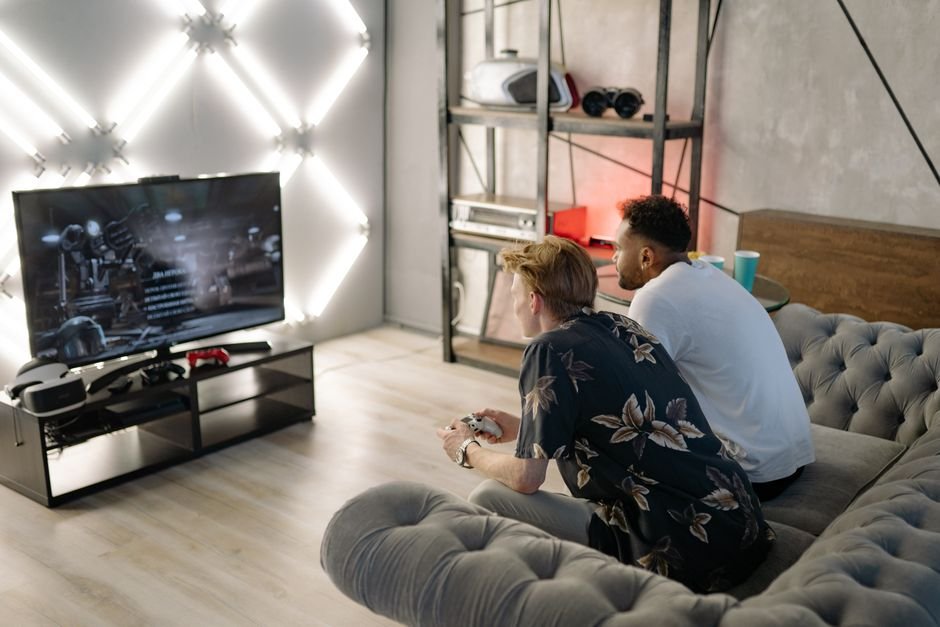
A good gaming monitor gets most of the attention in PC circles, but if you’re gaming on console, or want the option to switch between a desk setup and the couch, the TV you pick matters just as much. The gap between a genuinely gaming-optimized TV and a standard living room TV shows up in input lag, motion clarity, and how well it actually uses your console’s HDMI 2.1 features, differences you’ll feel in every session.
Here are the best TVs for gaming in 2026, across premium, PS5-optimized, and budget categories.
Best TVs for Gaming (2026) — Quick Comparison
| TV | Panel | Input Lag | Price (55″) | Best For |
|---|---|---|---|---|
| LG C5 OLED | WOLED | ~0.9ms at 4K/120Hz | ~$1,199 | Best overall / lowest input lag |
| Samsung S95H OLED | QD-OLED | ~10ms | ~$1,300-1,500 | Best brightness / 4 HDMI 2.1 ports |
| Sony Bravia 8 | OLED | Low (PS5-tuned) | ~$1,400-1,600 | Best for PS5 |
| LG B5 OLED | WOLED | ~9.1ms | ~$900-1,000 | Best budget OLED |
| Hisense U8H | Mini-LED | Low, VRR/ALLM/FreeSync Premium Pro | Under $1,000 | Best budget non-OLED |
How We Picked These
- We required genuine gaming-spec HDMI 2.1 support: 4K at 120Hz, VRR, and ALLM aren’t optional extras for a real gaming TV recommendation in 2026.
- We prioritized measured input lag over marketing claims: “game mode” branding varies wildly in actual latency between manufacturers, so we relied on independently tested numbers.
- We covered both OLED and budget mini-LED options: OLED remains the gaming picture-quality gold standard, but it’s not accessible to every budget, so we included a genuine sub-$1,000 alternative.
- We factored in console-specific optimization: some TVs are specifically tuned for PS5 or Xbox features, worth knowing if you’re locked into one ecosystem.
Best Overall: LG C5 OLED
The LG C5 remains the safest, most complete gaming TV recommendation for 2026, combining class-leading input lag, as low as 0.9ms at 4K/120Hz in independent testing, with the deep contrast and perfect blacks that OLED panels are known for. Four HDMI 2.1 ports mean you won’t run into the port-juggling problem some competing TVs still have when you’ve got a console, a PC, and a soundbar or receiver all competing for gaming-capable inputs. VRR support up to 120Hz (with some LG models supporting higher on PC) rounds out a genuinely well-tuned gaming feature set.
Pricing has also become a real advantage here, the 55-inch C5 now runs around $1,199, a significant drop from its original roughly $1,999 launch MSRP, making it meaningfully more accessible than it was at release. If you want one TV that handles console gaming, PC gaming, and general media consumption exceptionally well without needing to compromise on any of them, this is the pick.
Best Brightness: Samsung S95H OLED
Samsung’s QD-OLED technology trades a small amount of LG’s class-leading input lag for meaningfully higher peak brightness and richer color coverage, particularly noticeable in HDR gaming where highlight brightness genuinely affects visibility and impact. The S95H also ships with four HDMI 2.1 ports and supports 144Hz for PC gaming, a genuine advantage if you’re connecting a high-refresh-rate gaming PC alongside your console.
Input lag around 10ms is still very competitive for real-world gaming, the gap versus the LG C5’s sub-1ms figure is not something most players will consciously notice during actual gameplay. If bright, vibrant HDR visuals matter more to you than chasing the absolute lowest possible input lag number, the S95H is a genuinely strong alternative to the LG pick.
Best for PS5: Sony Bravia 8
Sony designed the Bravia 8 specifically around PlayStation 5 integration, with Auto HDR Tone Mapping calibrated for PS5 output, an Auto Genre Picture Mode that automatically switches picture settings based on what you’re playing, and official “Perfect for PlayStation 5” certification. Peak brightness around 2,500 nits gives HDR gaming genuine punch, particularly in bright outdoor game scenes where lesser panels can look washed out.
This is a narrower recommendation than the LG or Samsung picks, if you’re an Xbox or PC-primary gamer, the PS5-specific tuning here doesn’t provide the same advantage, and you’d likely get better overall value from the C5 or S95H. But for PS5-first households, the seamless integration and Sony-tuned picture quality make this a genuinely worthwhile specialized pick.
Best Budget OLED: LG B5
LG’s entry-level OLED line brings the core gaming-relevant advantages of OLED technology, true blacks, per-pixel contrast, and genuinely low input lag around 9.1ms, down to a meaningfully lower price point around $900-1,000. It still includes four HDMI 2.1 ports supporting 4K at 120Hz, VRR compatibility with both FreeSync Premium and G-Sync, HGiG for accurate HDR gaming tone mapping, and ALLM for automatic low-latency mode switching.
The tradeoffs versus the C5 and S95H are mainly in peak brightness and some processing refinements, differences that matter more for movie watching and bright-room HDR than for the core gaming experience. If OLED’s picture quality advantages matter to you but the C5’s price is a stretch, this is the practical alternative.
Best Budget Non-OLED: Hisense U8H
If even the B5’s price is out of reach, or you’re specifically worried about OLED burn-in risk from static UI elements common in some games, the Hisense U8H delivers genuine gaming-capable specs at a sub-$1,000 price point using mini-LED backlighting instead of OLED. It includes 4K/120Hz support, VRR, ALLM, and FreeSync Premium Pro across its HDMI 2.1 ports, a legitimately complete gaming feature set even if the panel technology doesn’t match OLED’s per-pixel contrast.
Mini-LED backlighting also sidesteps OLED’s theoretical burn-in risk entirely, worth considering if you display static HUD elements or use the TV heavily for non-gaming content with fixed on-screen graphics, like a stock ticker or a frequently-paused strategy game. For most gamers this isn’t a major practical concern with modern OLED panels, but it’s a genuine consideration for a small subset of use cases.
What Actually Matters for Gaming on a TV
Beyond brand and panel type, four specific features separate a genuinely gaming-capable TV from a standard living room set. HDMI 2.1 bandwidth is the foundation, without it, you can’t get 4K at a genuine 120Hz, the resolution and refresh rate combination current-gen consoles and gaming PCs are built around. VRR (Variable Refresh Rate) matters just as much as it does on a PC monitor, smoothing out frame rate fluctuations without the tearing or stutter you’d get on a fixed-refresh display.
ALLM (Auto Low Latency Mode) automatically switches the TV into its lowest-latency game mode when it detects a console or PC sending a gaming signal, removing the need to manually dig through settings menus every time you switch inputs. And input lag itself, the delay between a controller input and the corresponding change on screen, should be under 15ms in game mode for a TV to be considered genuinely gaming-ready, with every pick on this list beating that threshold by a comfortable margin.
Screen Size and Viewing Distance
The right screen size depends heavily on how far you’ll actually sit from the TV, a factor that matters more for gaming than for passive movie watching since you’re actively tracking on-screen action and reading UI elements. As a general guideline, a 55-inch 4K TV is well suited to seating distances of roughly 6-8 feet, while a 65-inch model is better matched to 7-9 feet, sitting too close to a large 4K TV can actually make individual pixels or scaling artifacts more noticeable rather than improving immersion.
If your gaming space doubles as a PC gaming setup at a desk, closer viewing distances of 3-5 feet are more typical, and a 42-48 inch model, several of which are now available in the same OLED lines covered above, often makes more practical sense than a full 55-inch or larger living room TV. Check your specific room’s seating arrangement before committing to a size, a TV that’s technically higher-spec but poorly sized for your actual viewing distance won’t deliver the experience its specs suggest.
Using a TV for PC Gaming at High Refresh Rates
If you’re connecting a gaming PC rather than just consoles, refresh rate support becomes a bigger differentiator between these picks. The Samsung S95H’s 144Hz PC support stands out specifically here, letting a capable gaming PC push meaningfully smoother motion than the 120Hz ceiling most console-focused gaming TVs top out at. The LG C5 and B5 both cap around 120Hz, which is still excellent for console gaming and the vast majority of PC gaming scenarios, but worth knowing if you’re specifically chasing the highest achievable refresh rate for competitive PC titles.
Also worth checking before buying: not every TV’s HDMI 2.1 ports support full 4K/120Hz bandwidth simultaneously across all ports, some implementations limit certain ports to lower bandwidth. If you’re running a PC and multiple consoles simultaneously and want full gaming-spec performance from every connected device, confirm each individual HDMI port’s specifications rather than assuming uniform support across all four.
Audio Considerations for a Gaming TV Setup
Built-in TV speakers, even on premium models, are rarely a strong match for the audio quality the rest of a good gaming TV setup delivers, and directional audio cues matter more in gaming than in most other content types. If your gaming TV is the centerpiece of a dedicated setup rather than a casual secondary screen, budgeting for even a basic soundbar or a proper gaming headset connected via the TV’s audio output meaningfully improves the experience beyond what any built-in TV speaker delivers, competitive shooters in particular benefit from being able to place footsteps and gunfire directionally.
Check eARC (enhanced Audio Return Channel) support specifically if you’re planning to add a soundbar or AV receiver, it allows the TV to pass higher-quality, uncompressed audio formats back to external speakers than the older ARC standard, a detail that’s easy to overlook when comparing TV specs but makes a real difference if you’re building out proper audio alongside your gaming display.
Common Mistakes When Buying a Gaming TV
- Not checking how many HDMI 2.1 ports a TV actually has: some TVs advertise HDMI 2.1 broadly but only support full bandwidth on one or two ports, check this specifically if you’re connecting multiple gaming-capable devices.
- Buying a TV without checking game mode input lag specifically: a TV’s general input lag figures can differ substantially from its dedicated game mode numbers, look for game-mode-specific measurements.
- Overestimating OLED burn-in risk for typical gaming use: modern OLED panels include burn-in mitigation technology, and typical varied gaming content poses much less risk than commonly assumed.
- Ignoring VRR format compatibility: confirm your specific console or GPU’s VRR standard (FreeSync, G-Sync, or HDMI Forum VRR) is supported by the TV you’re considering.
- Buying a larger screen than your room and viewing distance support: an oversized TV for your seating distance can actually hurt the gaming experience rather than improve it.
Prices and specs correct as of October 2026.
Frequently Asked Questions
Is OLED better than mini-LED for gaming?
OLED offers superior per-pixel contrast and generally lower input lag, but mini-LED avoids burn-in risk entirely and typically costs less, both are legitimate gaming choices depending on your priorities.
What input lag is good for gaming on a TV?
Under 15ms in game mode is considered genuinely competitive-ready, the best current OLED TVs measure well under 10ms, some approaching 1ms.
Do I need HDMI 2.1 for PS5 or Xbox Series X?
Yes, to get the full 4K at 120Hz experience these consoles are capable of, you need a genuine HDMI 2.1 port and cable, not just an HDMI 2.0 port with a higher labeled number.
Is the Sony Bravia 8 worth it if I don’t own a PS5?
Not particularly, its standout features are specifically tuned for PlayStation 5 integration, Xbox or PC-primary gamers will likely get better overall value from the LG or Samsung picks.
Can I use a gaming TV as a PC monitor?
Yes, most of the TVs on this list support high refresh rates and low input lag well suited to PC gaming, though desk-distance viewing on a large TV can feel different from a dedicated monitor.
Should I worry about OLED burn-in for gaming?
Modern OLED panels include mitigation features and typical varied gaming content carries low practical risk, though static HUD-heavy use over very long periods carries some risk worth considering.
What’s the cheapest genuinely good gaming TV?
The Hisense U8H delivers a complete gaming feature set, 4K/120Hz, VRR, ALLM, for under $1,000, making it the strongest budget pick on this list.
Setting up your full living room gaming space? Check our best esports gaming setup guide, or see our 1080p vs 1440p vs 4K gaming guide for resolution guidance that applies to TVs too.