

Part of our complete guide: Best Gaming Monitor 2026
Disclosure: Gamingshopee is reader-supported. If you buy through links on this page, we may earn a commission at no extra cost to you.
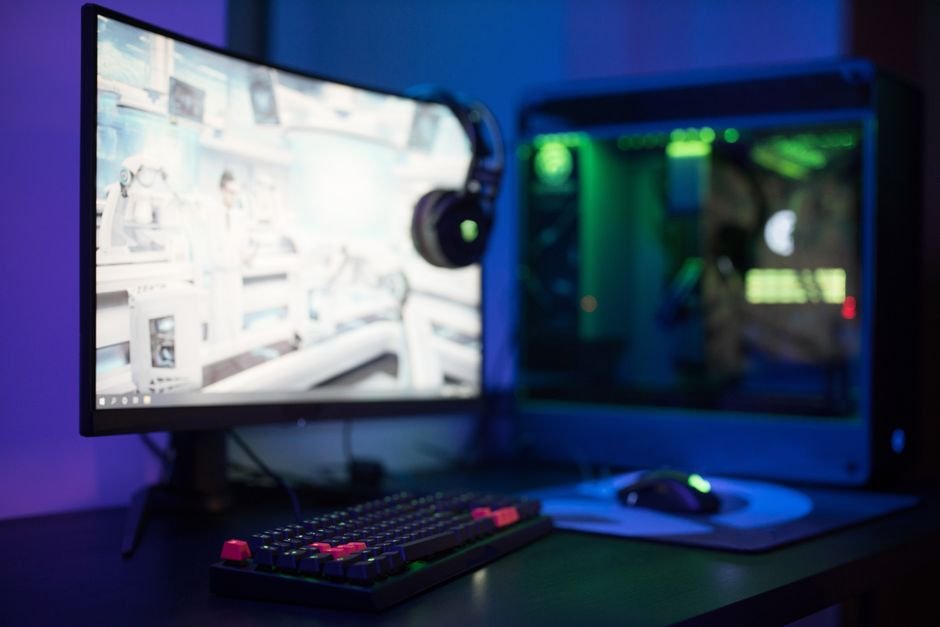
Ultrawide gaming monitors have gone from a niche, expensive curiosity to genuinely mainstream in 2026, and OLED panels are a huge part of why. Prices on 34-inch QD-OLED ultrawides have dropped significantly this year, panel quality has improved with higher brightness and better text rendering than first-generation models, and the category now spans everything from sub-$700 budget OLEDs to massive 45-inch super-ultrawides that blur the line between monitor and TV.
Here are the best ultrawide gaming monitors worth buying in 2026, across budget, value, and premium tiers.
Best Ultrawide Gaming Monitors (2026) — Quick Comparison
| Monitor | Size / Resolution | Refresh Rate | Price | Best For |
|---|---|---|---|---|
| Alienware AW3425DW | 34″ QD-OLED, 3440×1440 | 240Hz | ~$900-1,000 | Best overall |
| MSI MPG 341CQR QD-OLED X36 | 34″ QD-OLED, 3440×1440 | 360Hz | Under $1,000 | Best value / highest refresh |
| MSI MPG 341CQPX | 34″ QD-OLED, 3440×1440 | 240Hz | ~$890 or less | Best immersion for the price |
| Alienware 34 QD-OLED | 34″ QD-OLED, 3440×1440 | 175Hz | ~$700 (on sale) | Best budget OLED |
| LG 45GX950A | 45″ WOLED, 5120×2160 | 165Hz | ~$1,400-1,600 | Best super-ultrawide |
How We Picked These
- We prioritized QD-OLED and WOLED panels over VA and IPS: OLED’s per-pixel lighting delivers contrast and response times that LCD-based ultrawides can’t match, and 2026’s price drops make OLED accessible at more budget tiers than before.
- We checked refresh rate against realistic GPU pairing: a 360Hz ultrawide is only worth its premium if you have a GPU capable of pushing frames near that ceiling at 3440×1440, we noted where a lower refresh rate makes more practical sense.
- We compared burn-in warranty coverage: OLED burn-in concerns are less severe than early adopters feared, but warranty terms vary meaningfully between brands, and we factored that into our confidence in each pick.
- We included both curved 21:9 and larger 32:9 super-ultrawide options: these serve different use cases and desk setups, so we didn’t limit this list to just one aspect ratio.
Best Overall: Alienware AW3425DW
The AW3425DW earns the best overall spot by being the most complete package on this list rather than the single best in any one category. Its QD-OLED panel delivers the contrast and color accuracy the technology is known for, a 240Hz refresh rate comfortably covers competitive gaming without chasing diminishing returns at higher numbers, and a 0.03ms response time keeps motion clarity sharp during fast-paced action. Dell backs it with a 3-year burn-in warranty, among the more reassuring coverage terms in the category.
What makes this the pick most people should default to is the balance, it doesn’t ask you to compromise meaningfully on any front to hit a price point, and Alienware’s design and stand quality have historically been a cut above generic panel-maker rebrands. If you’re not sure which specific priority matters most to you yet, this is the safest starting point.
Best Value / Highest Refresh: MSI MPG 341CQR QD-OLED X36
MSI’s 341CQR pairs a 5th-generation Samsung tandem QD-OLED panel with a 360Hz refresh rate, all for under $1,000, an unusually aggressive spec-to-price ratio for this category. The tandem panel design contributes to vibrant, accurate color and effectively infinite contrast, and the refresh rate ceiling gives competitive players genuine headroom if they’re running a GPU capable of feeding it.
This is the pick specifically for players prioritizing competitive shooters and fast-paced genres where every additional frame of clarity matters, if your GPU can realistically push toward 300+ fps at 3440×1440 in your main games, this monitor lets you actually use that performance rather than capping out well below the panel’s ceiling.
Best Immersion for the Price: MSI MPG 341CQPX
The 341CQPX takes a slightly different angle than its 360Hz sibling, prioritizing the immersive, panoramic feel of the 21:9 aspect ratio at a more accessible 240Hz refresh rate and a price that’s often found at $890 or less. For single-player, story-driven, and open-world games where raw competitive frame rate matters less than how enveloping the picture feels, this is arguably the better MSI pick over the higher-refresh X36.
It’s a reminder that “highest refresh rate” and “best gaming monitor for you” aren’t always the same thing, if your library leans more toward narrative RPGs and exploration titles than ranked competitive shooters, the extra immersion this panel is tuned toward may matter more day-to-day than an extra 120Hz you’ll rarely fully utilize.
Best Budget OLED: Alienware 34 QD-OLED
Alienware’s standard 34 QD-OLED, the predecessor to the AW3425DW, has aged into an excellent budget pick now that it’s regularly available around $700 on sale. It keeps the QD-OLED panel’s strong HDR performance and glossy, vibrant finish, with an ultra-fast pixel response that still holds up well against newer competitors, even with a more modest 175Hz refresh rate compared to this year’s flagship releases.
For buyers who want genuine OLED image quality without paying flagship prices, this is the entry point worth watching for a sale on. The refresh rate ceiling is lower than the newest models, but 175Hz is still comfortably above what the vast majority of games and GPUs can consistently sustain at ultrawide resolution anyway.
Best Super-Ultrawide: LG 45GX950A
Stepping up in size entirely, the LG 45GX950A remains the best 45-inch OLED ultrawide on the market, with a massive 5120×2160 WOLED panel running at 165Hz. This is a genuinely different category of monitor from the 34-inch picks above, closer in scale to a curved home theater display than a typical desk monitor, and it demands both a larger desk footprint and a GPU capable of driving considerably more pixels.
If desk space and GPU horsepower both allow for it, the sheer scale and resolution here delivers an immersion level none of the 34-inch panels on this list can match, this is the pick for buyers explicitly chasing the biggest, most cinematic ultrawide experience available rather than the most balanced or most affordable one.
Resolution Options: 3440×1440 vs 5120×1440 vs 5120×2160
Most 34-inch ultrawides on this list run at 3440×1440, the standard resolution for the category and the sweet spot for GPU performance versus visual real estate. Stepping up to 5120×1440 (found on some 38-inch models not covered in our main picks) adds meaningfully more horizontal space at the cost of needing a noticeably stronger GPU to maintain high frame rates. The LG 45GX950A’s 5120×2160 goes further still, adding vertical resolution on top of the extra width, which is fantastic for productivity and immersive single-player gaming but taxing for high-refresh competitive play.
If you’re upgrading from a standard 16:9 monitor and unsure which resolution tier fits your GPU, 3440×1440 remains the safest choice for most builds released in the last three to four years. Reserve the higher-resolution super-ultrawide tier for systems with a genuinely high-end GPU that can comfortably push well beyond 4K-equivalent pixel counts.
OLED Burn-In: How Worried Should You Actually Be?
Burn-in concerns around OLED monitors have followed the technology since its introduction to the gaming monitor market, and while the risk isn’t zero, it’s considerably lower than early adopters feared thanks to improved panel technology, pixel-shifting features, and automatic brightness limiting built into modern OLED monitors. The multi-year burn-in warranties now offered by Alienware and other major brands reflect manufacturer confidence that normal gaming use, rather than hours of static HUD elements left on-screen at maximum brightness, is unlikely to cause visible degradation within the warranty period.
Practical steps that meaningfully reduce risk include enabling your monitor’s built-in pixel refresh or orbit features when prompted, avoiding leaving static, high-contrast UI elements on-screen at full brightness for extended unattended periods, and using auto-brightness limiting features rather than disabling them for marginally brighter static images. None of this should stop you from buying an OLED ultrawide, it’s more about using it sensibly than avoiding the technology altogether.
Desk Space and Viewing Distance
A 34-inch curved ultrawide needs meaningfully more desk depth than a standard 27-inch monitor, both because of its width and because curved panels are generally recommended to be viewed slightly closer than flat displays for the curve to feel natural rather than distorted. Measure your actual desk depth and typical seated viewing distance before buying, a monitor that’s technically excellent but positioned too close or too far from where you naturally sit undermines a lot of its intended benefit.
The LG 45GX950A and other 45-inch-class super-ultrawides raise this consideration further, given their scale is closer to a small TV than a conventional monitor. If your desk setup is compact or you sit unusually close to your display, one of the 34-inch panels on this list will likely serve you better in practice than the largest option simply having more impressive specs on paper.
Ports, Connectivity, and Console Compatibility
Most 2026 ultrawides in this list include at least one DisplayPort 1.4 connection capable of driving their full resolution and refresh rate simultaneously, along with HDMI 2.1 ports for connecting current-generation consoles, though it’s worth double-checking whether a console can actually output at the monitor’s native ultrawide aspect ratio before assuming full-screen console gaming will work as expected. PlayStation and Xbox consoles generally don’t natively render most games in 21:9, so console buyers should treat these monitors primarily as excellent 16:9 displays with extra unused screen space on the sides for console use, rather than expecting genuine ultrawide gameplay outside of PC.
USB-C connectivity with power delivery has also become more common on higher-end models, letting you connect and charge a laptop with a single cable while also driving the display, a genuinely convenient feature if you split time between a desktop and laptop on the same desk setup. Check the specific wattage of any USB-C power delivery before relying on it as your primary laptop charging method, as it varies meaningfully between models and isn’t always enough for the most power-hungry gaming laptops.
Common Mistakes When Buying an Ultrawide Gaming Monitor
- Buying more refresh rate than your GPU can use: a 360Hz panel is wasted if your graphics card can’t consistently push frame rates anywhere near that ceiling at ultrawide resolution.
- Ignoring desk depth and viewing distance: curved ultrawides need more physical space and a specific viewing distance to look and feel right, measure before you buy.
- Assuming all ultrawides need the same GPU: a 3440×1440 panel and a 5120×2160 super-ultrawide have very different GPU demands, don’t extrapolate performance expectations from one resolution to the other.
- Overreacting to OLED burn-in fears: modern panels and built-in protective features have made this a smaller practical concern than online discussion sometimes suggests, don’t rule out OLED entirely over outdated worries.
- Not checking game and application ultrawide support: not every game properly supports 21:9 or 32:9 aspect ratios, check compatibility for titles you play most before assuming full-screen immersion everywhere.
Prices and specs correct as of October 2026.
Frequently Asked Questions
What’s the best ultrawide gaming monitor overall in 2026?
The Alienware AW3425DW offers the most balanced combination of QD-OLED quality, 240Hz refresh rate, and warranty coverage, making it the safest default pick for most buyers.
Do I need a powerful GPU for an ultrawide monitor?
Yes, ultrawide resolutions like 3440×1440 require meaningfully more GPU power than standard 1440p, and 5120×2160 super-ultrawides demand a genuinely high-end GPU to maintain smooth frame rates.
Is OLED burn-in still a real concern in 2026?
It’s a smaller risk than it used to be thanks to improved panel technology and built-in protective features, though avoiding extended static high-brightness content is still sensible practice.
What’s the difference between a 34-inch and 45-inch ultrawide?
34-inch ultrawides at 3440×1440 fit most desk setups and GPU budgets comfortably, while 45-inch super-ultrawides like the LG 45GX950A offer dramatically more screen real estate but need more desk space and GPU power.
Should I buy the highest refresh rate ultrawide available?
Only if your GPU can realistically use it, a 360Hz panel paired with a GPU that tops out around 150fps at ultrawide resolution won’t deliver a meaningfully different experience than a 240Hz panel.
Are budget OLED ultrawides worth buying compared to flagship models?
Yes, the Alienware 34 QD-OLED delivers the same core OLED image quality advantages as newer flagships at a lower price, with the main trade-off being a somewhat lower refresh rate ceiling.
Does every game support ultrawide aspect ratios properly?
No, support varies by title, most modern AAA games handle 21:9 well, but some older or smaller-budget games may show black bars or stretched UI elements, worth checking compatibility for your specific game library.
How much desk space does a curved ultrawide actually need?
More than a standard flat monitor in both width and depth, curved panels are meant to be viewed slightly closer than flat displays, so measure your desk and seating distance before buying, especially for 38-inch and larger models.
Comparing display technologies more broadly? See our best TV for gaming guide, or check our G-Sync vs FreeSync breakdown before choosing your next display’s adaptive sync standard.
If you’re weighing this decision, it’s also worth reading Best Gaming Monitor 2026.
This pairs well with our guide, OLED vs IPS for Gaming (2026).