

Part of our complete guide: Best Gaming Desk (2027)
Most gaming desk accessories fall into two categories: things that actually fix something, and things that just look good in setup photos. This list is only the first kind.
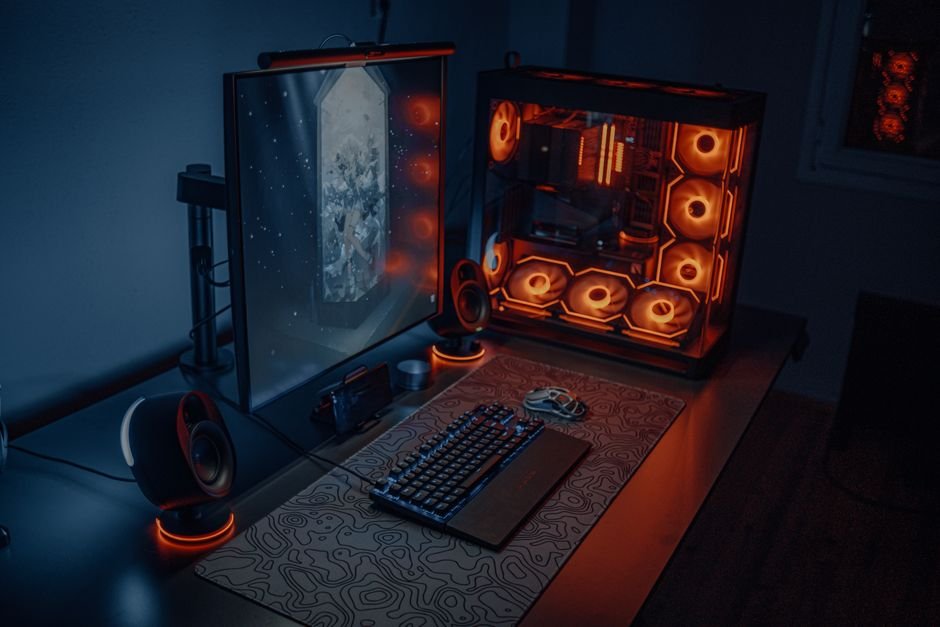
I built this guide around the accessories that made a measurable difference — to posture, to session length, to how clean everything looks on stream. If it did not solve a real problem at my desk, it did not make the cut. Here are the seven upgrades worth buying in 2026.
Best Gaming Desk Accessories — Quick Comparison
| Accessory | Category | Price | Best For |
|---|---|---|---|
| Ergotron LX | Monitor Arm | ~$140 | Ergonomics & desk space |
| SteelSeries QcK XXL | Desk Mat | ~$30 | Mouse tracking & aesthetics |
| BenQ ScreenBar Plus | Monitor Light | ~$109 | Eye strain on long sessions |
| Anker 10-Port USB Hub | USB Hub | ~$40 | Port-starved setups |
| Govee Immersion Backlight | Ambient Lighting | ~$60 | Visual immersion & eye comfort |
| Rode PSA1+ | Mic Boom Arm | ~$119 | Streamers & content creators |
| Corsair ST100 RGB | Headset Stand | ~$50 | Organization + USB hub combo |
How We Picked
Gaming desk accessories is a category full of things that photograph well but do nothing. The bar for making this list was simple: does it solve a real problem you feel every session?
We looked at ergonomic impact first — anything that affects posture, wrist position, or eye level scored highly because the compounding cost of bad ergonomics is real. After that, we looked at cable management and desk organization, since visual clutter is the number one reason gaming setups look worse than they should on stream. Finally, session quality: accessories that reduce eye strain, improve audio, or eliminate daily friction made the cut.
Price was factored in against real-world impact. A $140 monitor arm that prevents neck pain across years of daily use is better value than a $40 RGB accessory that changes nothing functional. We also tested budget alternatives where they exist, so you know when it is worth paying up and when it is not.
1. Ergotron LX Monitor Arm — Best Overall Desk Upgrade
The Ergotron LX is the single best upgrade you can make to any gaming desk. Not the most exciting, not the most RGB — but the most impactful. Getting your monitor to true eye level, where your eyes rest naturally on the top third of the screen without tilting your neck, eliminates the forward head posture that causes the neck and upper back pain you feel after long sessions. The factory stand that ships with most monitors locks you into one fixed height, and that height is almost always wrong for your body.
| Spec | Details |
|---|---|
| Weight Capacity | 19.8 lbs (supports most monitors up to 34″) |
| VESA Compatibility | 75×75mm and 100×100mm |
| Arm Reach | 25 inches from mount to display |
| Cable Management | Built-in internal cable routing |
| Adjustment | Gas spring — one-finger height, tilt, swivel, no drift |
| Price | ~$140 |
The gas spring mechanism is what separates the Ergotron LX from the $30 arms on Amazon. You set the position once and it stays there — no drooping after a month, no tightening bolts, no recalibrating. It routes cables internally through the arm so the monitor cable does not dangle visibly. Freeing the factory stand footprint also reclaims the 10×10 inch chunk of rear desk surface that most monitor bases occupy.
That is where the Ergotron LX feels different — it is not purely an ergonomic product. It is a desk space product, a cable management product, and an aesthetic product all at once. Every other accessory on this list works better when your desk has the space and organization the LX creates.
Best for: Anyone gaming or working at a desk for more than 2 hours daily. Non-negotiable if you have any neck or upper back discomfort after long sessions.
2. SteelSeries QcK XXL — Best Gaming Desk Mat
A full-desk mat is the cheapest way to make a gaming setup look intentional. The SteelSeries QcK XXL has been the benchmark for years — the micro-woven cloth surface gives your mouse consistent tracking across the entire desktop instead of fighting different textures, the rubber base does not slide under heavy keyboard use, and the stitched edges mean it does not fray after a year of daily use like cheaper mats do.
| Spec | Details |
|---|---|
| Size | 36″ × 12″ (fits most gaming desks edge to edge) |
| Surface | Micro-woven cloth — optimized for gaming mice |
| Base | Non-slip natural rubber |
| Edges | Machine-stitched, anti-fray |
| Thickness | 2mm |
| Price | ~$30 | RGB version (QcK Prism XL): ~$60 |
The QcK surface is specifically tuned for gaming mice — fast enough for low-DPI FPS play and textured enough for precise micro-corrections. At $30, it is the most cost-effective item on this list relative to the functional and visual improvement it delivers. A bare desk looks like an office. A desk with a full mat looks like a setup.
That is where the QcK XXL feels different from generic desk mats — the consistency. After two years of daily use, the surface tension and rubber grip hold up the same as day one. Budget mats bunch, fray, and start sliding. The QcK does not.
Best for: Every gaming desk without exception. This is the foundation everything else sits on — keyboard, mouse, headset stand, mic arm base. Get the mat first.
3. BenQ ScreenBar Plus — Best Monitor Light for Eye Strain
Standard desk lamps cause monitor glare. BenQ fixed this with asymmetric optics — the ScreenBar Plus clips to the top of your monitor and directs light downward onto your keyboard and desk surface only, with zero reflection onto the screen. It sounds like a small distinction until you actually try it and realize how much standard lamp glare was reducing contrast and causing eye fatigue without you noticing.
| Spec | Details |
|---|---|
| Color Temperature | 2700K (warm) to 6500K (daylight) |
| Max Brightness | 500 lux at desktop surface |
| Control | Wireless desk dial — no software needed |
| Auto-Dimming | Yes — ambient light sensor adjusts automatically |
| Monitor Compatibility | Clips to any monitor bezel up to 1.4″ thick |
| Price | ~$109 | Standard ScreenBar (no dial): ~$79 |
The wireless desk dial on the Plus model is the key upgrade over the standard ScreenBar. You can adjust brightness and color temperature without reaching up to the bar or opening an app — one dial on your desk controls everything. The ambient light sensor adjusts brightness automatically as your room changes from afternoon sun to evening dark, which matters on sessions that run 4 to 6 hours across changing conditions.
Eye strain on long sessions is largely a function of the contrast ratio between a bright screen and a dark surrounding environment. That is where the BenQ ScreenBar Plus feels different — it is the only monitor light that solves the actual problem rather than just adding ambient light that bounces off your screen and makes things worse.
Best for: Anyone who games in a dim room or runs sessions over 3 hours. Essential for streamers who want even, glare-free desk and keyboard lighting on camera.
4. Anker 10-Port USB 3.0 Hub — Best USB Hub for Gaming Setups
Count the USB devices on a full gaming setup: gaming mouse, mechanical keyboard, headset, webcam, microphone, controller receiver, LED strip controller, and phone charging cable. That is eight ports minimum — and most gaming PCs ship with four to six rear USB-A ports. A powered USB hub is the fix. Not a bus-powered one that drops charging speeds and causes connection drops when multiple high-draw devices are connected at once — a properly powered hub with its own AC adapter.
| Spec | Details |
|---|---|
| Ports | 10× USB-A 3.0 |
| Power | AC-powered — dedicated wall adapter included |
| Per-Port Power | 5V / 1.5A per port regardless of load |
| Data Speed | 5 Gbps (USB 3.0) |
| Backward Compatible | Yes — USB 2.0 and 1.1 devices work fine |
| Price | ~$40 |
The AC power adapter delivers full 5V/1.5A per port regardless of how many devices are connected. Bus-powered hubs share the single port’s power budget from your PC — so your devices fight each other for power and you get mysterious disconnects and slow charging as soon as you plug in device number five. With a powered hub, every device gets full power every time.
That is where the Anker 10-Port feels different from cheap hubs — one cable from hub to PC, every peripheral plugs in at desk level, and you never have to reach around the back of your tower again. No power sharing issues, no port juggling. Just ten clean ports that work.
Best for: Any setup running more than 5 USB devices simultaneously. If you are pulling devices in and out of ports because you have run out, this is the fix.
5. Govee Immersion TV Backlight — Best Ambient Lighting for Gaming
The Govee Immersion uses a small camera mounted on top of your monitor to capture what is on screen in real time and mirror those colors onto LED strips behind the display. The result — called Ambilight — does two things simultaneously: it reduces eye strain by softening the harsh contrast between a bright screen and a dark room, and it adds genuine visual immersion where the wall behind your monitor reacts to what you are playing. Explosion on screen, the wall glows orange. Ocean level, it goes blue.
| Spec | Details |
|---|---|
| Sync Method | Camera-based — works with any display, no HDMI passthrough |
| LED Count | 45 LEDs (varies by kit size) |
| Sync Latency | ~16ms — imperceptible during gameplay |
| App Control | Govee Home (iOS/Android) |
| Compatibility | Any monitor or TV regardless of brand |
| Price | ~$45–$80 depending on screen size |
Setup takes about 15 minutes — attach the LED strips to the monitor back, mount the camera to the top bezel, plug in the control box, calibrate in the Govee Home app. No smart home hub, no HDMI signal interception, no brand compatibility requirements. It works with any monitor because the camera captures visually rather than intercepting the signal.
That is where the Govee Immersion feels different from static RGB strips — the camera sync makes the lighting reactive and dynamic instead of a fixed color ring sitting behind your monitor doing nothing. At $45–$80, this is the highest visual impact per dollar of anything on this list.
Best for: Gamers playing in dark rooms who want both eye comfort and visual immersion. Also works well as a streaming background that looks dynamic without buying a dedicated light panel.
6. Rode PSA1+ — Best Mic Boom Arm for Streamers
A microphone sitting on a desk stand has two problems: it picks up every keystroke and surface vibration through the desk, and it sits 12 or more inches from your mouth where USB mics do not operate cleanly. A boom arm fixes both — it removes the mic from the desk surface and positions it 2 to 4 inches from your mouth where USB and condenser microphones are actually designed to capture voice. The audio quality difference between a desk stand and a boom arm is not subtle. It is the difference between sounding like you are in a room and sounding like you are on a podcast.
| Spec | Details |
|---|---|
| Reach | 33 inches — full desk coverage from any clamp position |
| Cable Routing | Internal — no visible cable hanging off the arm |
| Thread Size | 5/8″ standard (compatible with most USB and XLR mics) |
| Mount Type | Desk clamp — fits desks up to 2.5″ thick |
| Max Mic Weight | 2.4 lbs |
| Price | ~$119 | Budget: Elgato Wave LP ~$40 |
The PSA1+ routes the mic cable internally through the arm, so there is no dangling USB or XLR cord running down the outside and across your desk. For streamers where the desk appears on camera, this is the difference between a setup that looks professional and one that looks DIY. The tension adjustment holds any position — straight up, side entry, directly in front — without drooping across a 6-hour stream.
That is where the Rode PSA1+ feels different from $30 Amazon arms — the cable routing and tension quality mean you set it up once and it works the same way every day. Compatible with Blue Yeti, HyperX QuadCast, Rode NT-USB, and virtually any USB or XLR mic via the standard 5/8″ thread.
Best for: Streamers, content creators, and anyone using a USB or XLR microphone daily. If cable routing is not a priority, the Elgato Wave LP at $40 is a solid budget alternative.
7. Corsair ST100 RGB — Best Headset Stand
Most headset stands do one thing: hold your headset. The Corsair ST100 does three — holds the headset securely, adds two front-accessible USB 3.0 ports and a 3.5mm audio passthrough at desk level, and lets you charge your phone via USB at the base. For anyone who uses a USB headset and swaps to a 3.5mm device, the audio passthrough eliminates the trip around the back of your PC case. It is a small frustration that happens multiple times per session, and the ST100 removes it entirely.
| Spec | Details |
|---|---|
| USB Ports | 2× USB 3.0 (front-accessible at desk level) |
| Audio Passthrough | 3.5mm jack — no more reaching behind the PC |
| RGB | Yes — Corsair iCUE compatible, base ring lighting |
| Headset Hook | Adjustable height, padded contact points |
| Wireless Charging | No |
| Price | ~$50 |
The RGB on the ST100 is restrained — it lights the base ring rather than pointing LEDs at eye level. iCUE integration syncs it with the rest of your Corsair ecosystem if you are already running that lighting setup. If you are not, manual color control still works fine without the software.
That is where the ST100 feels different from a $10 plastic hook — the built-in USB hub at desk level and the audio passthrough make it a functional peripheral expansion point, not just a stand. The padded headset hook also keeps the headband from deforming over years of hanging, which cheaper stands eventually cause.
Best for: Gamers who switch between headsets or audio devices regularly. If you just need a headset hook and nothing else, a $10 mount does the same job for less.
Frequently Asked Questions
If you’re weighing this decision, it’s also worth reading Best Gaming Desk Under $300 (2026).
This pairs well with our guide, Best L-Shaped Gaming Desk (2027).
Related Guides
- Best Gaming Desk (2027)
- Best Gaming Desk Under $200 in 2026 (Tested & Ranked)
- Comfiest Desk and Chair Combo for PC Gaming



2 thoughts on “Best Gaming Desk Accessories in 2026 (Tested & Ranked)”