
Disclosure: Gamingshopee is reader-supported. If you buy through links on this page, we may earn a commission at no extra cost to you.
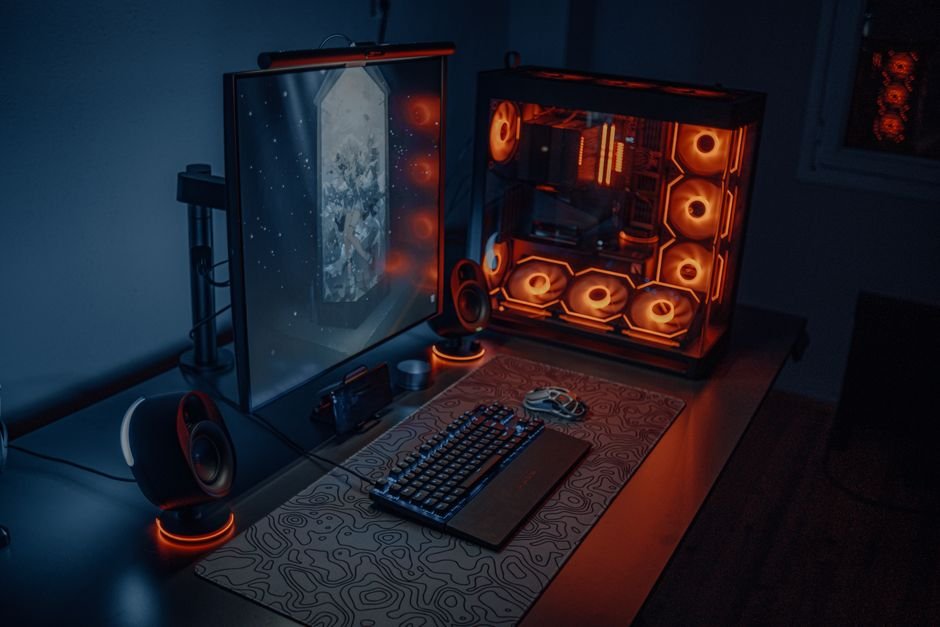
A thousand dollars is a meaningful budget for a full gaming setup, monitor, keyboard, mouse, headset, chair, desk, and mousepad, without needing to compromise heavily on any single piece. The trick is allocation: spend too much chasing a flashy monitor and you’ll be gaming on an uncomfortable chair for years, spend too little on peripherals and you’ll feel the difference every single session.
Here’s a complete setup built around $1,000, with realistic pricing, sensible tradeoffs, and specific picks for every category.
Best Gaming Setup Under $1,000 — Budget Breakdown
| Category | Pick | Price |
|---|---|---|
| Monitor | 27″ 1440p 144-165Hz IPS (AOC Q27G3XMN or similar) | ~$230-260 |
| Keyboard | Budget mechanical (Redragon K552 or similar) | ~$30-40 |
| Mouse | Logitech G203 or similar lightweight mouse | ~$25-30 |
| Headset | HyperX Cloud Alpha S or similar mid-range headset | ~$100-130 |
| Mousepad | SteelSeries QcK XXL or Razer Gigantus V2 | ~$20-30 |
| Chair | Budget ergonomic gaming chair (Razer Iskur V2 budget tier or similar) | ~$250-300 |
| Desk | Basic 47-55″ gaming desk | ~$100-150 |
| Total | — | ~$755-940 |
How We Built This Setup
- We prioritized the components you touch and see most: monitor and chair get the largest share of the budget since you interact with them for every single second of every session.
- We avoided over-spending on peripherals with diminishing returns: mice and keyboards see real quality jumps at low price points, then flatten out, so we didn’t chase premium tiers there.
- We left realistic room under $1,000: the total intentionally lands under budget rather than exactly at it, giving room for tax, shipping, or a small splurge on one category.
- We picked components we could verify hold up long-term: every pick here has an established track record rather than being a flash-in-the-pan budget option.
Monitor: 27″ 1440p 144-165Hz (~$230-260)
The monitor gets the largest single allocation in this budget, and that’s deliberate. A 27-inch 1440p panel with a 144Hz or higher refresh rate is the current sweet spot for budget-conscious gamers, sharp enough for both gaming and everyday use, and fast enough that the jump from 60Hz is immediately noticeable in any fast-paced game. IPS panel technology at this price point delivers meaningfully better color accuracy and viewing angles than the cheaper TN panels that dominated this budget tier just a few years ago.
If you’d rather drop to 1080p to free up budget elsewhere, a 24-inch 144Hz-plus monitor in the $130-160 range is a reasonable alternative, particularly for competitive shooter players who prioritize frame rate and response time over resolution. For a deeper breakdown of resolution tradeoffs at this budget, see our full comparison guide.
Keyboard: Budget Mechanical (~$30-40)
You don’t need to spend more than $30-40 to get a genuinely good mechanical keyboard experience. Budget mechanical keyboards in this range now commonly include hot-swappable switches, per-key or zone RGB, and solid build quality that would have cost double just a couple of years ago. The tactile, responsive feel of mechanical switches over membrane makes a real difference in both gaming feedback and everyday typing comfort, worth the modest premium over the cheapest membrane options.
If you’re unsure whether mechanical is worth it for your use case, particularly if you’re coming from a laptop keyboard or an older membrane board, our full mechanical vs membrane comparison breaks down exactly where the difference matters most.
Mouse: Lightweight and Reliable (~$25-30)
A mouse in the $25-30 range from an established brand like Logitech delivers a genuinely reliable sensor, solid click feel, and enough DPI range for both competitive and casual play. This is a category where spending significantly more mainly buys you extra buttons, premium materials, or wireless convenience rather than a meaningfully better core gaming experience, the sensor performance gap between a $25 mouse and a $80 mouse from a reputable brand is small enough that most players won’t notice it.
If wireless is a priority for you, budget an extra $20-30 over this allocation, most quality wireless gaming mice with low-latency 2.4GHz connections start in the $50-60 range and would require trimming elsewhere in this build to stay under $1,000.
Headset: Mid-Range Comfort and Clarity (~$100-130)
The headset is where we recommend spending a bit more than the bare minimum, since audio quality and mic clarity directly affect both your gaming experience and how you sound to teammates. A mid-range option like the HyperX Cloud Alpha S delivers genuinely good driver quality, comfortable extended-wear padding, and a clear enough microphone for regular voice chat, without reaching into premium wireless territory.
If your budget is tighter elsewhere, a solid sub-$50 headset will still function fine, but the jump in comfort and audio clarity at the $100-130 tier is significant enough that we think it’s worth prioritizing over, say, RGB on your keyboard or a slightly larger monitor.
Mousepad: Don’t Skip This One (~$20-30)
It’s tempting to treat the mousepad as an afterthought in a budget build, but a large, consistent-surface cloth pad like the SteelSeries QcK XXL or Razer Gigantus V2 costs less than a fast food meal and meaningfully improves tracking consistency over gaming on a bare desk or an undersized pad. This is one of the highest value-per-dollar purchases in the entire setup.
Chair: Ergonomics Without the Premium Price (~$250-300)
The chair is the second-largest allocation in this budget, and for good reason, it’s the component you spend the most consecutive hours in contact with, and a poor chair causes real physical discomfort that compounds over months of daily use. Budget-tier versions of well-known ergonomic chairs now commonly include adjustable lumbar support, 2D or 4D armrests, and a genuine recline function in the $250-300 range, features that were exclusive to $400-plus chairs not long ago.
If you’re tempted to cut this category to save money elsewhere, resist it. A cheap, poorly-built chair is one of the few purchases in this list that can actively cause physical discomfort or posture problems over time, unlike a budget mouse or keyboard, which simply performs slightly worse. Our full breakdown of gaming chair red flags covers exactly what to check before buying at any price point.
Desk: Function Over Flash (~$100-150)
A basic 47-55 inch gaming desk in this price range gives you enough surface area for a full setup, monitor, keyboard, mouse, and mousepad, plus room for a drink and notebook, without the premium price tag of motorized standing desks or elaborate cable-management systems. Look for a desk with grommet holes for cable routing and a stable, wobble-free frame, features that matter far more day-to-day than aesthetic extras.
Desk height should let your forearms rest roughly parallel to the floor when seated, typically in the 28-30 inch range for most adults, and your monitor should sit roughly 24-30 inches from your eyes at eye level or slightly below. If you’re building on an especially tight sub-budget, a solid desk can be found for even less, freeing up money for the monitor or chair instead.
Where to Spend More If You Have Extra Room
If you land under $1,000 with room to spare, or you’re willing to stretch slightly past it, the two upgrades with the most noticeable real-world impact are the monitor and the chair. Moving from a 144Hz to a 165-180Hz refresh rate, or from a basic 1440p panel to one with better HDR and color accuracy, is a meaningful visual upgrade you’ll notice in every session. On the chair side, upgrading to a model with 4D armrests and a higher-density foam seat pays off specifically if you spend long hours seated.
The categories with the least noticeable return on extra spending at this budget tier are the mouse and mousepad, both already deliver close to their full practical value at the price points recommended above, and spending significantly more mainly buys aesthetics or minor convenience features rather than meaningfully better performance.
What This Budget Doesn’t Include
This $1,000 covers the full peripheral and furniture setup, not the gaming PC or console itself. If you’re building or buying a PC as part of this budget, you’ll need to allocate separately, and realistically, a capable 1440p gaming PC starts in the $800-900 range on its own, meaning a genuinely complete PC-plus-setup build under $1,000 total isn’t realistic without significant compromises on one side or the other.
If you’re working with a combined budget that needs to cover both the PC and the full setup, we’d recommend prioritizing the PC first and treating this peripheral list as a longer-term upgrade path rather than a same-day purchase, buying a mechanical keyboard next month doesn’t meaningfully hurt your gaming experience, but underspending on your GPU does.
Building This Setup Over Time vs. All at Once
You don’t need to buy every piece of this setup in a single order. Spreading purchases across a few months, timed around sales events, can meaningfully reduce the total cost without sacrificing any of the picks above. Monitors and chairs in particular see genuine, substantial discounts during major sales periods, often 15-25% off list price, so if your current setup is merely uncomfortable rather than actively broken, it’s worth being patient on the two biggest-ticket items in this list.
A sensible sequencing if you’re building gradually: start with whatever you’re using daily that’s actively causing discomfort or holding back your gaming, often the chair or an outdated low-refresh-rate monitor, then fill in peripherals as budget allows. Keyboard, mouse, and mousepad are cheap enough that buying all three at once when you’re ready rarely requires much financial planning, while the desk and chair are worth timing around sales given their larger share of the total budget.
Where to Actually Buy These Components
For most of this list, Amazon, Best Buy, and Newegg carry the widest selection at competitive pricing, with Amazon generally offering the most frequent flash discounts on peripherals specifically. For the chair and desk, it’s worth checking the manufacturer’s own site directly in addition to major retailers, furniture brands frequently run direct-site promotions that beat third-party retail pricing, and buying direct also simplifies warranty claims if something arrives damaged or develops an issue.
Refurbished and open-box listings are worth considering specifically for the monitor and chair, the two highest-cost items here, since both categories see relatively low failure rates and heavily discounted open-box pricing when available, often 20-30% off with a shorter but still meaningful warranty. We’d be more cautious about refurbished peripherals like keyboards and mice, where the savings are smaller relative to the already-low price and any wear from a prior owner directly affects your day-to-day feel.
Common Mistakes When Building a Budget Setup
- Overspending on the monitor at the expense of the chair: a marginally better monitor won’t offset months of discomfort from a poor chair.
- Skipping the mousepad entirely: it’s one of the cheapest items on this list and meaningfully improves tracking consistency for a few dollars.
- Buying premium peripherals before checking the basics: a $150 mouse won’t outperform a $30 mouse enough to justify the price gap for most players.
- Forgetting cable management in the desk budget: a desk without grommet holes or cable routing options creates ongoing frustration that’s hard to fix after the fact.
- Ignoring desk and chair ergonomics in favor of aesthetics: comfort and posture matter more over months of use than how the setup looks in photos.
Prices and specs correct as of October 2026.
Frequently Asked Questions
Can you build a complete gaming setup for under $1,000?
Yes, a full peripheral and furniture setup, monitor, keyboard, mouse, headset, mousepad, chair, and desk, comfortably fits under $1,000 with room to spare, though this doesn’t include the gaming PC itself.
What should I prioritize if I can’t afford everything at once?
Monitor and chair first, they have the largest impact on both performance and comfort, followed by headset, then keyboard, mouse, and mousepad, which all deliver strong value even at low price points.
Is 1440p worth it over 1080p at this budget?
Yes for most gamers, a budget 1440p 144Hz monitor is achievable in this price range and offers a meaningfully sharper image without a significant price penalty over 1080p.
Do I need a mechanical keyboard for gaming?
It’s not strictly necessary, but mechanical switches offer better tactile feedback and durability than membrane keyboards, and budget mechanical options now start under $40.
Should I spend more on the chair or the desk?
The chair, since you’re in direct physical contact with it for hours at a time, while a basic desk performs the same core function as a premium one for most setups.
How much of this budget should go toward the monitor?
Roughly 25-30% of this setup’s budget is reasonable for the monitor, it’s the component you look at for your entire session and benefits most from a meaningful spec upgrade.
Does this budget include the gaming PC?
No, this covers peripherals and furniture only. A capable 1440p gaming PC typically starts around $800-900 on its own, budget separately for that.
Building out the rest of your setup? Check our gaming setup on a $500 budget guide for a tighter budget breakdown, or see our best prebuilt gaming PC under $1,500 picks if you need the PC itself.