

Part of our complete guide: Best Gaming Chair (2026)
Disclosure: Gamingshopee is reader-supported. If you buy through links on this page, we may earn a commission at no extra cost to you.
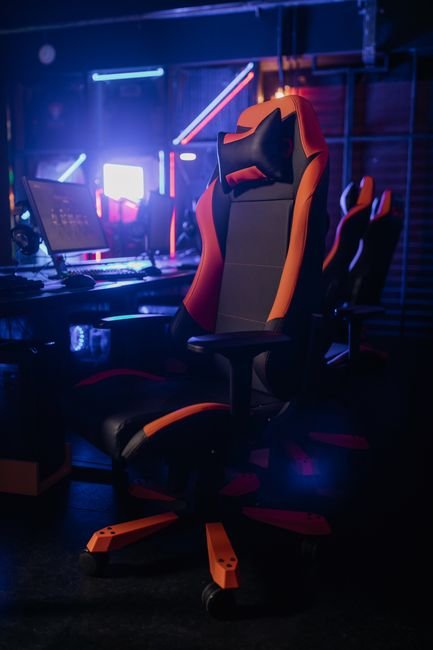
A gaming chair is one of the easiest purchases to get wrong, because the failures don’t show up in the first week. The chair looks fine in photos, feels fine for the first month, and then the padding starts flattening, the base starts wobbling, or the “leather” starts peeling right around the time the return window closes.
We pulled together the warning signs that actually predict a bad chair, the ones you can check before you buy rather than discovering six months in. Some of these are visible in product photos and spec sheets if you know where to look, others are buried in the fine print of the warranty.
Gaming Chair Red Flags — Quick Reference
| Red Flag | Why It Matters |
|---|---|
| No gas lift safety class listed | Unrated or uncertified cylinders carry real failure risk |
| Weight capacity near your body weight | Safe daily-use limit is often only 50-60% of the stated rating |
| Low foam density with no spec disclosed | Cheap foam bottoms out within a year of regular use |
| “PU leather” with no breathability mention | Peels and cracks faster than fabric or genuine leather |
| Wobbly base or creaking in reviews | Points to weak frame or low-grade casters |
| Fixed or barely-adjustable armrests | Limits ergonomic fit regardless of other features |
| Vague or short warranty | Signals the manufacturer doesn’t expect the chair to last |
How We Identified These Red Flags
- We focused on failures that happen after the return window: the goal is catching problems before purchase, not diagnosing a chair you already own.
- We looked at safety standards, not just comfort: gas lift certification is a real, checkable spec that most buyers never look at.
- We separated marketing numbers from real-world limits: weight capacity and foam density are two areas where the advertised spec and the practical spec are often very different.
- We treated warranty length as a quality signal: manufacturers who trust their build quality tend to back it with longer coverage.
Red Flag 1: No Gas Lift Safety Class Listed
The gas cylinder that raises and lowers your chair is rated on a class scale, with Class 3 as a reasonable standard for daily use and Class 4 as a stronger, premium-grade option. A genuine chair explosion is rare, and it’s almost always tied to a substandard or counterfeit cylinder, thin cylinder walls or nitrogen purity below 90 percent are the specific failure points that make a cylinder unstable under pressure.
If a listing doesn’t mention a gas lift class or a safety certification like SGS or TÜV testing anywhere in the specs, that’s worth treating as a gap, not an oversight. Legitimate manufacturers list this because it’s a real safety differentiator, and the ones who skip it are usually cutting a corner they’d rather you not ask about.
Red Flag 2: Weight Capacity That’s Uncomfortably Close to Your Body Weight
A chair advertised as rated for 300 lbs sounds reassuring, but that number is frequently a “proof load,” a one-time stress test showing the chair won’t catastrophically fail under extreme impact, not a safe working load for years of daily sitting. The practical, wobble-free limit for sustained daily use tends to run closer to 50-60 percent of that proof load figure, meaning a 300 lb-rated chair is really built around users in the 150-180 lb range for long-term comfort and stability.
If your body weight sits close to or above a chair’s advertised capacity, expect earlier sagging, wobble, and a shortened lifespan, well before the warranty period ends. Look specifically for chairs marketed toward “big and tall” users with reinforced frames rather than a standard chair that simply lists a high number without structural changes to back it up.
Red Flag 3: Foam Density That’s Never Disclosed
How quickly a seat cushion breaks down depends almost entirely on foam density, not on how thick the cushion looks in photos. Budget foam in the roughly 25-35 kg/m³ range tends to show noticeable compression, a “bottoming out” feeling where you can sense the frame underneath, within about a year of regular use. Higher-density foam holds its shape for years longer under the same conditions.
Most budget and mid-range chairs simply don’t publish a foam density number at all, which itself is a signal. If a listing highlights cushion thickness in inches but says nothing about density or core construction, assume it’s on the lower end, manufacturers using genuinely high-density foam tend to advertise it because it’s a real cost they’ve absorbed and want credit for.
Red Flag 4: “PU Leather” With No Mention of Breathability
PU (polyurethane) leather is the material on the overwhelming majority of gaming chairs, and cheaper grades of it peel and crack noticeably sooner than better-made versions or genuine fabric alternatives. It also tends not to breathe well, which becomes a real comfort issue during long sessions, especially in warmer climates or rooms without strong airflow.
Peeling isn’t a random defect, it’s a predictable outcome of using a thin, low-grade PU coating over time, and it tends to show up first at high-friction points like the armrests and the front edge of the seat. If you’re set on a leather-look chair, look specifically for reviews mentioning how the material holds up after 6-12 months rather than trusting how it looks in day-one photos. Fabric-covered chairs sidestep this issue entirely and are worth serious consideration if breathability and long-term durability matter more to you than the leather aesthetic.
Red Flag 5: Reviews Mentioning Wobble, Creaking, or Loose Parts
A wobbly backrest, creaking armrests, or a base that doesn’t feel solid are symptoms of a weak frame, low-grade casters, or loose hardware that wasn’t properly torqued at the factory, and these issues tend to get worse with use rather than resolving themselves. Reading through recent reviews specifically for these words, wobble, creak, loose, wiggle, is one of the fastest ways to catch a structurally weak chair before you own one.
Pay particular attention to reviews left a few months after purchase rather than immediate unboxing reviews, since frame and caster issues often take some real use to surface. A chair with consistently glowing day-one reviews but a handful of frustrated three-month-later reviews is telling you something the initial star rating doesn’t capture.
Red Flag 6: Fixed or Barely-Adjustable Armrests
Armrests that only move up and down, or don’t move at all, limit how well a chair can actually fit your body regardless of how good everything else about it is. Good ergonomic support depends on being able to position your arms so your shoulders stay relaxed while typing or using a mouse, which usually requires adjustment in at least two directions, height and either width or depth.
This is an easy spec to overlook because armrests aren’t the flashy part of a chair listing, but poor armrest adjustability is one of the most common sources of ongoing shoulder and wrist discomfort in cheap gaming chairs. If 4D adjustable armrests aren’t in the budget, at minimum look for height and width adjustment together, not height alone.
Red Flag 7: A Vague or Unusually Short Warranty
Warranty length is one of the more honest signals in this entire category, because a manufacturer confident in their build quality has every incentive to advertise a longer warranty as a selling point. A chair backed by only a 90-day or one-year warranty, especially when competitors in the same price range offer two to five years, is a quiet admission that the manufacturer doesn’t expect the chair to hold up much longer than that.
Read the actual warranty terms too, not just the headline length. Some warranties cover the frame and gas lift but exclude foam, upholstery, or casters entirely, which are exactly the parts most likely to fail first. A shorter warranty with full coverage can be more meaningful than a longer one riddled with exclusions.
How to Actually Vet a Chair Before You Buy
Once you know what to look for, checking a listing against these red flags takes about five minutes. Start with the spec sheet itself: search it for the words “class,” “density,” and “warranty.” If any of those three are missing entirely, that’s not necessarily disqualifying on its own, but it means you’ll need to dig into reviews to fill the gap the manufacturer left open. A listing that proactively discloses gas lift class, foam density, and a specific multi-year warranty is usually one built by a company confident enough in its own construction to invite scrutiny.
From there, sort reviews by most recent rather than most helpful, and specifically look for anyone who’s owned the chair for six months or longer. Early reviews are dominated by unboxing impressions and first-week comfort, which tells you almost nothing about whether the foam will sag or the leather will peel. A chair with hundreds of five-star day-one reviews and a thin scattering of one-star reviews mentioning wobble or sagging after several months is showing you exactly where the long-term weak points are, even if the average star rating still looks strong.
Finally, treat the return and warranty window as part of your evaluation, not just a safety net. If a retailer’s return period is short relative to how long these failure modes typically take to appear, foam sagging and leather peeling often don’t show up until well past 30 or 60 days, you’re effectively buying without the ability to catch the exact problems this guide is warning you about. A slightly more expensive chair from a retailer with a 90-day-or-longer return window can be the safer purchase even before you factor in build quality differences.
Common Mistakes When Buying a Gaming Chair
- Trusting the weight capacity number at face value: treat the advertised limit as a ceiling, not a target, and look for chairs rated well above your actual body weight for long-term comfort.
- Judging material quality from product photos alone: PU leather peeling and foam sagging are invisible in day-one photos and only show up in longer-term reviews.
- Ignoring the gas lift safety class entirely: it’s a genuine, checkable safety spec, not a minor technical detail to skip past.
- Focusing on RGB and styling over frame and adjustability: a chair’s structural quality and ergonomic adjustment range matter far more to long-term comfort than lighting or color options.
- Skipping the warranty fine print: a long warranty that excludes foam and upholstery isn’t covering the parts most likely to actually fail.
Prices and specs correct as of August 2026.
Frequently Asked Questions
Do gaming chairs really explode?
True explosions are extremely rare and almost always tied to a substandard or counterfeit gas cylinder. A Class 3 or Class 4 certified cylinder from a reputable manufacturer carries very low risk.
How much less than the stated weight capacity should I actually weigh?
As a rough guideline, aim for 50-60 percent of the advertised capacity for comfortable, wobble-free daily use over the long term.
Is PU leather always a bad choice?
Not always, quality varies significantly by grade and manufacturer. Check recent reviews for peeling or cracking complaints specifically, rather than avoiding PU leather across the board.
How do I check foam density before buying if it’s not listed?
Look for it directly in the spec sheet, and if it’s absent, search reviews for mentions of sagging or “bottoming out” after several months of use as an indirect signal.
What warranty length should I look for on a gaming chair?
Two years or more is a reasonable baseline for a mid-range chair, with full coverage on the frame, gas lift, foam, and upholstery rather than just the frame alone.
Is a cheap office chair better than a cheap gaming chair?
Often, yes. A well-made budget office chair with adjustable lumbar support can outperform a similarly priced gaming chair that prioritizes styling over build quality.
Are 4D armrests worth paying extra for?
If shoulder or wrist discomfort is a concern, yes. The added adjustability directly affects how well the chair fits your specific desk height and posture.
Ready to shop with these red flags in mind? Check our is a gaming chair actually worth it guide for the bigger-picture buying decision, or see best gaming desk under $300 to round out the rest of your setup.
We cover the related angle in Best Gaming Chair (2026).
If you’re weighing this decision, it’s also worth reading Is a Gaming Chair Actually Worth It?.