
Disclosure: Gamingshopee is reader-supported. If you buy through links on this page, we may earn a commission at no extra cost to you.
Not every upgrade needs a big budget. Some of the best quality-of-life changes for a gaming setup cost less than a AAA game.
These seven accessories all land under $50, and none of them are filler. Each one solves a specific annoyance: a wobbly mouse pad, a dead controller mid-session, cables everywhere, a headset with nowhere to sit.
Best Gaming Accessories Under $50 — Quick Comparison
| Accessory | Price | Solves |
|---|---|---|
| XL mouse pad | $15–30 | Inconsistent tracking, desk noise |
| Headset stand | $12–20 | Headset clutter, tangled cable |
| Controller charging dock | $18–25 | Dead controller batteries |
| Mouse bungee | $12–18 | Cable drag on wired mice |
| USB microphone | $30–45 | Weak built-in mic audio |
| Bias lighting strip | $15–25 | Eye strain in dark rooms |
| 1080p webcam | $16–20 | No stream or video call camera |
How We Picked These
- Each one had to solve a real problem: not just look good on a desk. We skipped novelty items with no functional use.
- Price had to stay honest: everything here is genuinely under $50, not “starting at” pricing that climbs once you pick the version you actually want.
- Build quality still mattered at this price: cheap doesn’t have to mean flimsy, and we skipped anything with a reputation for breaking fast.
- We favored accessories over full peripherals: this list is about the add-ons that support your main gear, not replacements for your mouse or keyboard.
1. XL Mouse Pad
Your mouse sensor reads the surface underneath it. A bare desk gives it an inconsistent texture that causes small tracking stutters, especially on wood or glass. An extended XL mat that covers both your mouse and keyboard area fixes this completely, and it’s one of the cheapest upgrades on this list relative to how much it improves daily use.
Look for a micro-woven cloth surface, a non-slip rubber base, and stitched edges so it doesn’t fray. Go XL over a small pad. The price difference is a few dollars and the full-desk coverage means your mouse never runs out of pad mid-swipe.
Best for: anyone still gaming on a bare desk surface. This is the highest-impact $20 you can spend on a setup.
2. Headset Stand
A headset left flat on the desk gets tangled cables and dented ear cushions over time. A stand keeps it upright, keeps the cable from knotting, and gives your desk a cleaner look for basically no effort.
Look for a weighted base so it doesn’t tip when you grab the headset one-handed, and rubber padding on the arm so it doesn’t scuff your headband over months of use. Some stands double as a USB hub, which is worth the small premium if you’re short on ports.
Best for: anyone with a headset that currently lives in a pile on the desk.
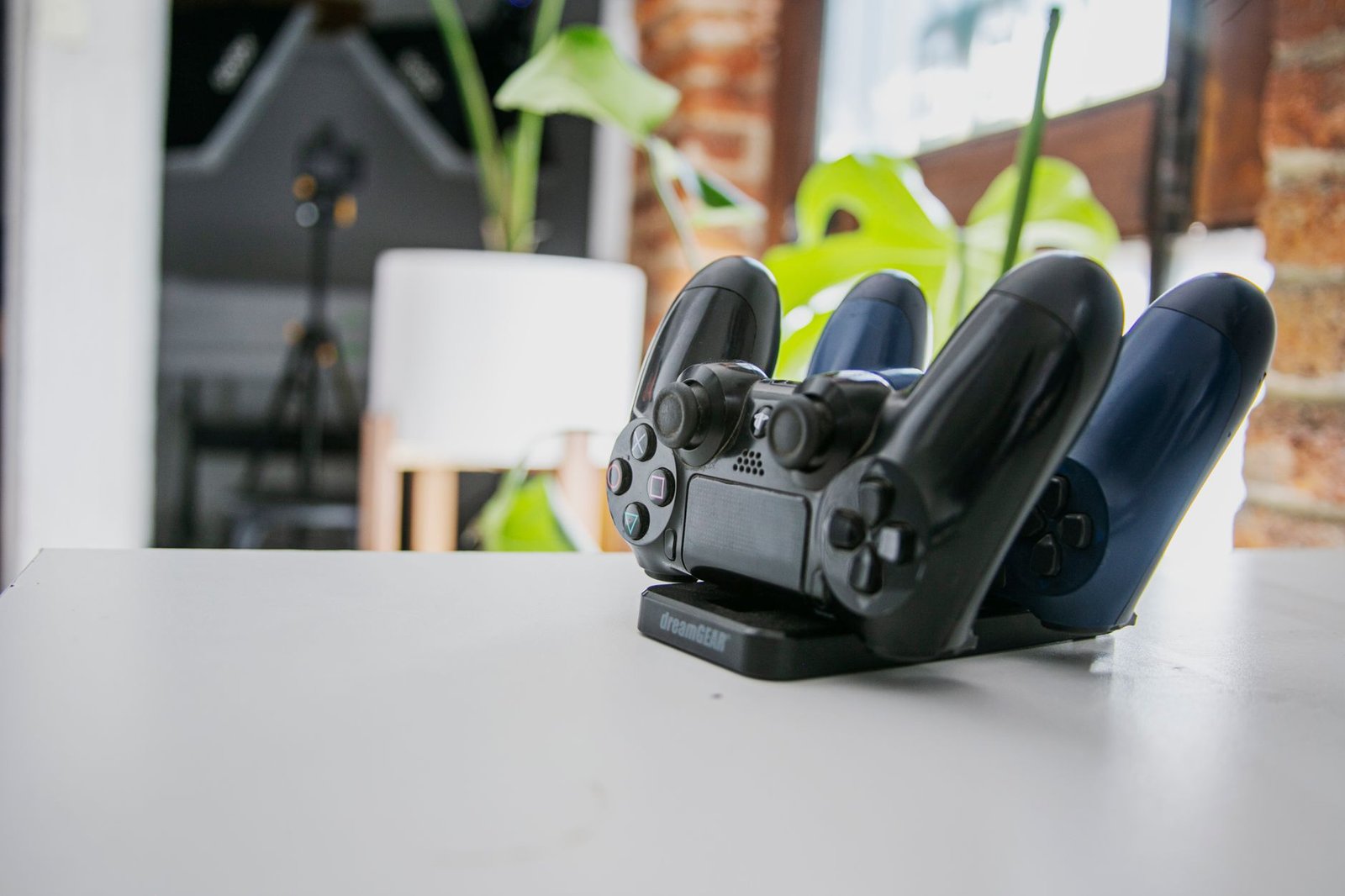
3. Controller Charging Dock
Nothing kills momentum like a controller dying mid-match. A charging dock means you drop the controller on the stand when you’re done and it’s full again by next session, no cable to plug in, no AA batteries to buy.
Dual docks are worth the small extra cost if you have two controllers or play co-op regularly. Check that the dock matches your specific controller generation before buying, since contacts and dock shapes vary between console generations.
Best for: console players tired of controllers dying at the worst possible moment.
4. Mouse Bungee
If you’re still on a wired mouse, a bungee holds the cable up off the desk so it doesn’t drag or catch during fast movements. It’s a small fix for a real annoyance, and it’s a fraction of the cost of upgrading to a wireless mouse for the same benefit.
Look for a weighted or clamp-mounted base so it stays put during aggressive flicks, and enough cable clearance to fully extend your mouse’s reach without tension pulling it back.
Best for: wired mouse users who aren’t ready to switch to wireless yet.
5. USB Microphone
If you play with friends over Discord or stream occasionally, a dedicated USB mic is a bigger upgrade than most people expect. Headset mics are built for clarity at close range, not warmth or presence, and a basic USB condenser mic sounds noticeably better for a modest price.
Look for plug-and-play USB connectivity (no audio interface needed), a cardioid pickup pattern to reject background noise, and a physical mute button if you can find one at this price.
Best for: anyone whose friends regularly ask them to repeat themselves on voice chat.
6. Bias Lighting Strip
Staring at a bright monitor in an otherwise dark room causes real eye strain over long sessions. An LED strip mounted behind your monitor adds ambient light that reduces the contrast between the screen and the room, without lighting up your whole space.
USB-powered strips that sync to your monitor’s on/off state are worth the small premium over basic ones. It means one less thing to remember to turn off.
Best for: anyone who games at night with the lights off and notices eye fatigue afterward.
7. 1080p Webcam
If you’re not planning to stream seriously, you don’t need a $150 camera. A basic plug-and-play webcam covers Discord video calls and casual streaming fine, and it’s genuinely one of the easiest things to upgrade later if you actually get into streaming.
Look for at least 1080p at 30fps and some form of auto light correction, since most rooms don’t have great lighting for a fixed-exposure camera.
Best for: casual streamers and anyone who does video calls from their gaming setup.
Which Should You Buy First?
Start with the mouse pad if you don’t have one. It’s the cheapest item here and the one most likely to noticeably improve daily use immediately. After that, prioritize based on your actual habits: a headset stand if your desk is cluttered, a charging dock if you play console, a mic if voice chat is a big part of how you play.
Prices correct as of July 2026.
Frequently Asked Questions
What’s the single best gaming accessory under $50?
An XL mouse pad, for most people. It’s cheap, it solves a real tracking problem, and almost everyone gaming on a bare desk benefits from it immediately.
Are cheap USB microphones actually worth it over a headset mic?
Yes, for voice clarity. Headset mics prioritize noise rejection at close range over sound quality. A basic USB condenser mic sounds noticeably fuller for a modest price difference.
Do controller charging docks work with any controller?
No, docks are generally matched to a specific console generation’s controller shape and contacts. Check compatibility with your exact controller before buying.
Is a mouse bungee still useful if I might go wireless later?
It’s a cheap stopgap. If you’re planning to go wireless within a few months, it may not be worth buying. If wireless isn’t in the budget yet, it solves the same cable drag problem for a fraction of the cost.
Building a full setup from scratch? See our gaming setup on a $500 budget guide, or check whether a gaming chair is actually worth it.
For a closely related buying question, see 10 Underrated Gaming Accessories.
We cover the related angle in Best Gaming Desk Accessories in 2026 (Tested & Ranked).
Related Guides
- How to Build a Gaming Setup on a $500 Budget
- Best Gaming Gifts for Every Budget (2026)
- Best Gaming Headset Under $100 (2026)



2 thoughts on “Best Gaming Accessories Under $50”