
Disclosure: Gamingshopee is reader-supported. If you buy through links on this page, we may earn a commission at no extra cost to you.
Gaming gear marketing has a habit of turning small, real advantages into sweeping claims that don’t hold up once you actually test them. Some of these myths cost you money on specs that don’t matter. Others talk you out of gear that would genuinely help, because the myth points the wrong direction entirely.
We went through the seven myths we hear most often from readers and checked each one against actual testing data, published research, and how the hardware behaves in practice rather than on a spec sheet. A few of these will probably change what you buy next.
Gaming Gear Myths — Quick Reference
| Myth | Reality |
|---|---|
| Higher DPI = more accurate aim | Past a point, higher DPI makes precision harder, not easier |
| Higher polling rate is always better | Gains plateau hard beyond 1000Hz for almost everyone |
| Virtual 7.1 surround beats stereo for competitive play | Many pros play in stereo because it’s more reliable, not less |
| Wireless mice are too laggy for competitive gaming | Modern wireless is within fractions of a millisecond of wired |
| RGB lighting improves performance | Zero measurable effect on FPS, temps, or input speed |
| Gaming chairs are automatically better for your back | Fit and setup matter more than the “gaming” label |
| You’ll always notice 240Hz vs 360Hz | Most players can’t reliably tell the difference in blind tests |
How We Assessed These Myths
- We prioritized testing data over marketing claims: where independent labs or reviewers have measured latency, frame times, or perceptual thresholds, we used those numbers instead of manufacturer specs.
- We looked at what competitive players actually use: pro settings and habits are a useful reality check against what marketing tells casual buyers to want.
- We separated “measurable” from “perceptible”: a real technical difference that no human can actually notice isn’t a reason to spend more money.
- We didn’t dismiss every myth the same way: some of these are completely false, others are partly true but wildly overstated, and we tried to be precise about which is which.
Myth 1: Higher DPI Always Means More Accurate Aim
This is probably the most common myth in gaming mouse marketing, and it runs backwards. Maxing out your mouse’s DPI because the box advertises 26,000 doesn’t make you more accurate, it makes small hand movements translate into large, hard-to-control cursor jumps. Past a certain point, DPI becomes unmanageable without compensating with drastically lower in-game sensitivity, which just moves the problem rather than solving it.
There’s also a related myth that you should match your DPI to your monitor’s resolution. Higher-resolution displays do benefit from somewhat higher DPI for comfortable desktop use, but gaming DPI should be set based on your effective sensitivity (eDPI) preference, not your monitor’s pixel count. Most competitive players actually settle in a fairly narrow, moderate DPI range and do their fine-tuning through in-game sensitivity instead, because it’s easier to make small, precise adjustments there than by hunting for the “right” DPI number.
Myth 2: A Higher Polling Rate Is Always Better
Polling rate determines how often your mouse reports its position to your PC, and it’s a genuinely different thing from DPI, despite the two often getting confused. Higher polling rate does technically reduce input latency, but the benefit plateaus hard well before you’d expect. Once you’re past roughly 1000Hz, further increases produce differences measured in fractions of a millisecond, well below what any human can perceive during actual gameplay.
Meanwhile, pushing polling rate up to 4000Hz or 8000Hz does have a real cost: it increases CPU overhead and power draw, which matters more on lower-end systems or with wireless mice where every bit of extra polling drains the battery faster. For the vast majority of players, 1000Hz at a moderate DPI is still the practical sweet spot, and it’s what most competitive setups actually run, regardless of what the marketing on higher-end mice pushes.
Myth 3: Virtual 7.1 Surround Sound Beats Stereo for Competitive Gaming
Nearly every gaming headset advertises 7.1 or 5.1 surround sound, and almost none of them actually contain seven or five physical speakers. What you’re getting is virtual surround, software processing running on top of two standard stereo drivers, using timing, volume, and frequency manipulation to simulate directional audio.
For immersive single-player games, this can genuinely add atmosphere, explosions and ambient sound do feel more enveloping with it turned on. But for competitive shooters specifically, many professional and high-level players disable virtual surround entirely and play in plain stereo, because raw stereo audio gives more reliable directional cues for footstep and gunshot placement. Virtual surround processing can smear those cues or add artificial reverb that actually makes pinpointing a sound’s origin harder, not easier. The quality gap between a well-implemented virtual surround mode and a poorly-implemented one is also huge, so even when it helps, it’s inconsistent across headsets.
Myth 4: Wireless Mice Are Too Laggy for Competitive Play
This myth has a real historical basis, which is exactly why it’s stuck around so long. A decade ago, wireless gaming mice genuinely were laggy, with older 2.4GHz implementations adding 10-25ms of latency that was very noticeable in fast-paced shooters. That reputation made sense at the time.
It doesn’t hold up anymore. Modern wireless gaming mice using dedicated 2.4GHz dongles now achieve latency within roughly 0.1-0.3 milliseconds of their wired equivalents, a gap well below any human perceptual threshold. Independent testing from outlets that specialize in exactly this kind of measurement has repeatedly failed to find a reliable, consistent difference between good wireless mice and wired ones, and blind A/B tests with professional players haven’t turned up a meaningful edge for wired either. That’s part of why so many professional esports players have switched to wireless mice in recent years: the performance tradeoff that used to justify sticking with a cable simply isn’t there anymore for a quality wireless mouse. For a deeper breakdown of the tradeoffs that still do matter (weight, battery life, receiver placement), see our full wired vs wireless gaming mouse comparison.
Myth 5: RGB Lighting Improves Gaming Performance
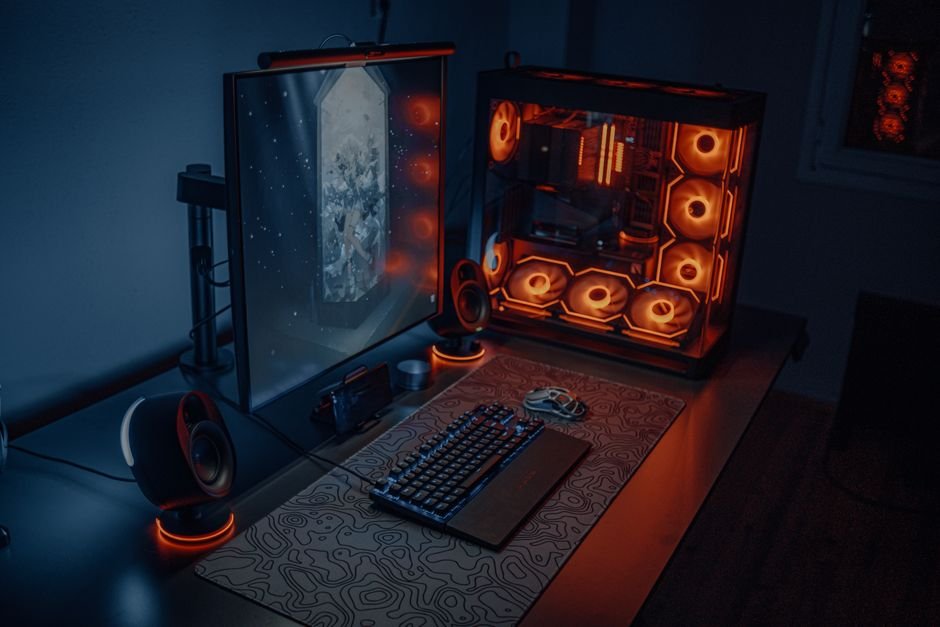
This one started as a joke in gaming communities and somehow became a semi-serious belief for some buyers: the idea that more RGB lighting makes a PC run faster. It doesn’t, and there’s no plausible mechanism by which it would. Benchmarks comparing identical systems with RGB enabled and disabled consistently show identical frame rates, load times, and temperatures. The power draw from RGB lighting is a handful of watts spread across an entire system, nowhere near enough to affect anything performance-related.
What is real is a mild psychological effect. Some informal testing has found players report feeling more focused or having faster perceived reaction time with dynamic RGB lighting active, even when their actual measured performance, like kill-death ratio, shows no change at all. If a setup you’re proud of and enjoy looking at helps you feel more locked in, that’s a legitimate reason to like RGB. Just don’t buy it expecting a frame-rate or reaction-time boost, because that part isn’t happening.
Myth 6: Gaming Chairs Are Automatically Better for Your Back
The racing-style gaming chair does have some real ergonomic advantages over a low-end office chair: a taller backrest supports more of your spine than chairs designed to prop up only the lower back, and the ability to recline reduces disc strain compared to sitting bolt upright for hours. Compared against a cheap office chair, a gaming chair usually wins.
Compared against a genuinely well-designed ergonomic office chair, though, the picture flips. Purpose-built ergonomic chairs are engineered by biomechanical specialists with S-shaped backrests that mirror your spine’s natural curve and adjustment points designed to maintain healthy posture without you consciously thinking about it. Gaming chairs are generally designed around aesthetics and plush comfort first, ergonomics second. The honest takeaway is that “gaming chair” versus “office chair” is the wrong axis of comparison entirely, what actually determines whether a chair helps or hurts your back is proper fit and adjustment for your specific body, regardless of which category it’s marketed under.
Myth 7: You’ll Always Notice the Jump from 240Hz to 360Hz
The jump from 60Hz to 144Hz is dramatic and nearly everyone can see it instantly, that part of the refresh-rate conversation is genuinely true. But marketing tends to imply that every step up the refresh-rate ladder delivers a similarly obvious improvement, and that’s where the myth kicks in. The frame-time improvement from 240Hz to 360Hz is just 1.39 milliseconds, roughly the same tiny gain you’d get moving from 120Hz to 144Hz, a jump almost nobody would call transformative.
Perceptual studies back this up. While the 60Hz to 144Hz difference is rated “dramatic” by the overwhelming majority of users in blind testing, only about a third of participants can reliably tell 240Hz from 360Hz apart. Peer-reviewed research has found no significant performance difference between 144Hz and 360Hz for most players, though top-tier professional esports competitors can perceive and benefit from refresh rates above 240Hz in ways average players generally can’t. If you’re not competing at that level, the jump from a good 240Hz monitor to a 360Hz one is one of the smallest-return upgrades in PC gaming. Our refresh rate guide breaks down where the real jumps in noticeable smoothness actually happen.
Common Mistakes People Make Because of These Myths
- Buying the highest-DPI mouse available and maxing out the setting: you’ll likely end up fighting your own cursor instead of aiming more precisely.
- Chasing polling rates above 1000Hz on a budget system: the latency gain is imperceptible while the CPU overhead is real, especially on wireless mice where it also drains battery faster.
- Leaving virtual surround on by default in competitive shooters: test stereo mode specifically for footstep and gunshot positioning before assuming surround is helping you.
- Avoiding wireless mice out of outdated latency concerns: that reputation is roughly a decade out of date for any reputable modern wireless mouse.
- Assuming a “gaming” label makes a chair ergonomically superior: fit, adjustability, and how you actually sit in it matter far more than the category it’s marketed in.
- Paying a large premium to go from 240Hz to 360Hz expecting a dramatic difference: unless you’re competing at a very high level, that money is usually better spent elsewhere in your setup.
Why These Myths Keep Spreading
None of these myths appeared out of nowhere. Most started from a real, older fact that stopped being true once the technology moved on, wireless mouse latency being the clearest example, or from a genuine but narrow advantage that got generalized into a blanket rule, like DPI or refresh rate. Marketing departments have every incentive to keep pushing the bigger number as the better number, because “26,000 DPI” and “360Hz” sell more easily than “you probably won’t notice past a certain point.”
Community folklore does the rest of the work. Once enough players repeat “wireless is laggy” or “gaming chairs are better for your back,” it hardens into received wisdom that doesn’t get re-checked, even after the underlying technology or research has moved on. That’s part of why a decade-old wireless latency complaint is still showing up in comment sections today, long after the mice that caused it stopped being sold.
The practical fix is the same one we used throughout this guide: when a spec sounds impressive, ask whether anyone has actually measured whether a human can perceive the difference it claims to make. Sometimes the answer is yes, and the upgrade is worth it. Often the answer is no, and that money is better spent somewhere the difference is actually noticeable.
Prices and specs correct as of August 2026.
Frequently Asked Questions
What DPI should I actually use for gaming?
Most competitive players land somewhere in a moderate range and fine-tune with in-game sensitivity rather than chasing a specific DPI number. There’s no universal “correct” DPI, it’s a personal preference tuned through practice.
Is 1000Hz polling rate enough for competitive gaming?
Yes, for the vast majority of players. Gains beyond 1000Hz are measured in fractions of a millisecond, well below what’s perceptible during actual gameplay.
Should I turn off virtual surround sound for competitive shooters?
It’s worth testing both. Many high-level players prefer stereo for more reliable directional audio cues, though a well-implemented virtual surround mode can work well depending on the headset.
Are wireless gaming mice actually as good as wired now?
Yes, for any quality mouse using a dedicated 2.4GHz connection. Modern wireless latency sits within fractions of a millisecond of wired, a gap no human can reliably detect.
Does RGB lighting drain performance instead of boosting it?
No, its power draw is minimal and has no measurable effect on frame rates or temperatures either way. Any performance impact reported is placebo, not physics.
Is it worth upgrading from a 240Hz to a 360Hz monitor?
Only if you’re competing at a high level where every fractional edge matters. For most players, the difference is subtle enough that the money is often better spent on other gear.
Are gaming chairs bad for your back?
Not inherently, they’re often better than cheap office chairs, but a well-fitted ergonomic office chair can match or beat a gaming chair. Fit and adjustment matter more than the category.
Want to put some of this into practice? Check our wired vs wireless gaming mouse guide for a deeper latency breakdown, or see our good refresh rate for gaming guide to figure out which monitor tier is actually worth your money.
We cover the related angle in 1080p vs 1440p vs 4K Gaming.
If you’re weighing this decision, it’s also worth reading Best Esports Gaming Setup.